
Ask any cord-cutter what they miss most about cable and the answer is almost never movies. It is the game. Sunday afternoons, a playoff night, a fight that starts at midnight. Sports are the reason most people keep paying a huge cable bill, and also the reason so many of them message us before they cancel it. This guide answers the question they all ask: how to watch sports without cable, and whether IPTV for sports is actually good enough when the score matters. We cover every option side by side, what makes the best IPTV for sports, and how to set up your TV so game night just works.
Quick answer: To watch sports without cable, use an IPTV service, a live TV streaming app or a free antenna, or combine them. IPTV for sports gives the widest coverage for about $5 to $15 a month, as long as the service stays stable at prime time. Test it on a live game during a free trial, and use Ethernet for 4K.
Key takeaways
- You can watch sports without cable in four ways: IPTV, live TV streaming apps, a free antenna, or a mix of them.
- IPTV for sports gives the most channels for the lowest monthly price, but only a stable service on a good connection does it well.
- For live sports, three things matter more than the channel count: stability at prime time, smooth 50/60 fps motion, and a short delay.
- Test any service on a real live game during the free trial before paying for a year.
In this guide
- Can you watch live sports with IPTV?
- How to watch sports without cable: your 4 options compared
- What makes the best IPTV for sports?
- How to set up your TV for game day
- How to watch local sports without cable
- The cheapest way to watch sports without cable
- Game-night checklist
- Marinios IPTV for sports
- Quick questions
Can you watch live sports with IPTV?
Yes. IPTV carries live sports channels the same way cable does, only over your internet connection, so you can watch games on your smart TV, streaming stick, phone or laptop. The picture can be HD or 4K, and you browse it with a TV guide just like a cable box.
The honest part: sports are the hardest thing an IPTV service has to deliver. A movie can buffer for two seconds and nobody cares. A live game can’t. Thousands of people tune in at the same minute, the action is fast, and everyone notices a freeze at the wrong moment. That is why “IPTV for sports” is really a test of the provider’s servers, and of your home connection. We will show you how to check both.
How to watch sports without cable: your 4 options compared
Most people asking “how do I watch sports without cable?” assume there is one answer. There are four, and the right mix depends on what you watch and what you want to spend.
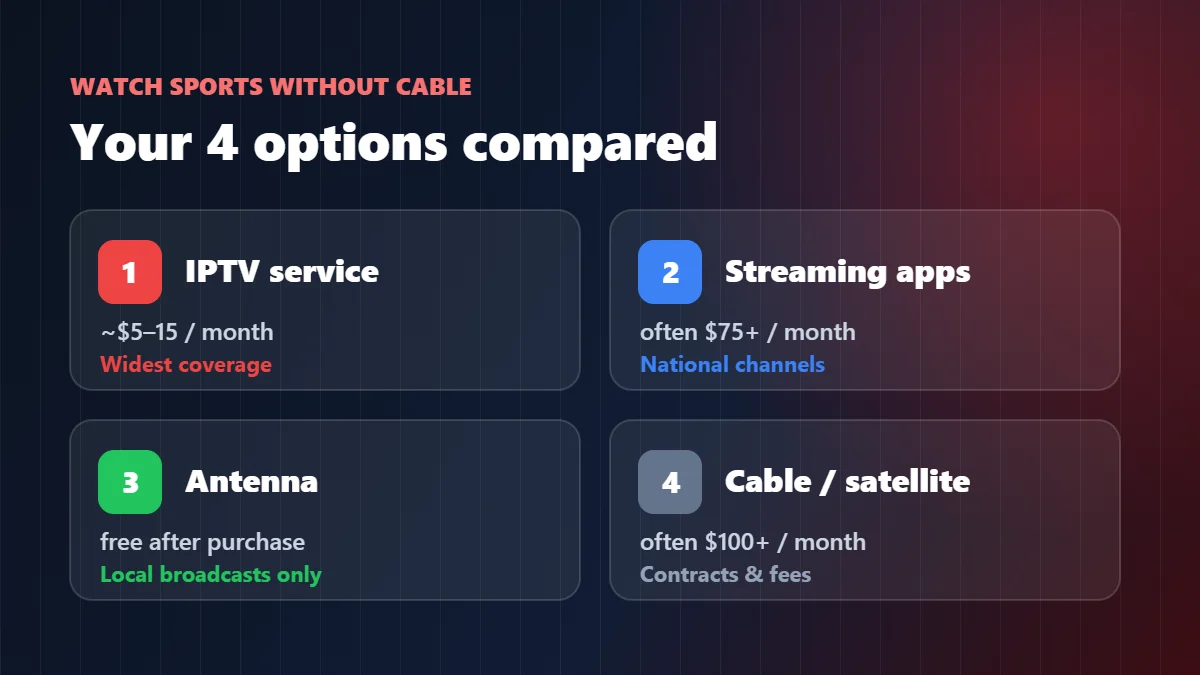
| Option | Typical monthly cost | Sports coverage | Watch out for |
|---|---|---|---|
| IPTV service | About $5–$15 for one screen | Very wide: national, regional and international sports channels in one place | Quality depends on the provider; test it during a live game first |
| Live TV streaming apps | Often $75 or more | Good for big national channels | Price keeps rising; some sports need extra add-ons |
| Antenna (over the air) | Free after buying the antenna | Local broadcast channels only | Depends on your distance from the towers; no cable sports channels |
| Cable or satellite | Often well over $100 | Wide | Contracts, box rental, regional fees |
A combination many of our customers use: IPTV for everything, plus a cheap antenna as a free backup for local broadcasts. You can check which towers reach your address with the FCC’s DTV reception maps.
What makes the best IPTV for sports?
The best IPTV for sports is the one that stays stable when everyone is watching, shows fast motion smoothly, and lags only a little behind the live action. Channel count comes after that. Here is what we would check, in order of how much it ruins a game when it is missing.
| What to check | Why it matters for sports | Good sign |
|---|---|---|
| Prime-time stability | Big games are when servers get hammered | Smooth playback at 8–11 p.m. Eastern on a game night |
| 50/60 fps channels | Fast passes and camera pans look jerky at 25/30 fps | Fluid motion, no stutter on long camera sweeps |
| Short live delay | Nobody wants a goal spoiled by a phone notification | Usually under about a minute behind the broadcast |
| Real 4K | Grass, crowd and scoreboard detail | Sharp picture in fast play, not just “4K” in the name |
| A working TV guide | You need to know which channel has which game | Correct game, correct start time |
| Enough screens | Two games at once, or kids watching in another room | Clear 2, 3 or 4-screen plans |
Our IPTV service guide explains why these problems happen behind the scenes, and our IPTV speed test shows how to measure the delay yourself.
How to set up your TV for game day
Most “the game froze” messages we get on a Sunday are fixed at home in five minutes. Do this once, before the big game, not at kickoff:
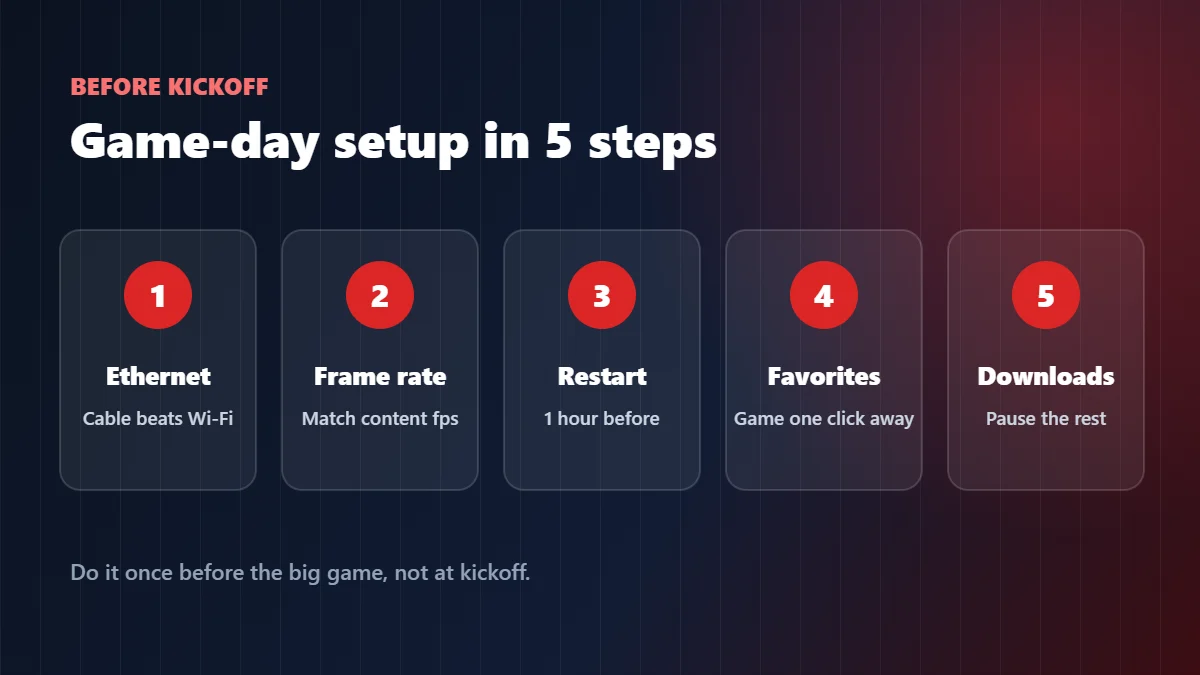
- Plug in a cable. Ethernet beats Wi-Fi for live sports every time. On a streaming stick, a small USB Ethernet adapter does the job.
- Turn on frame rate matching if your device has it. It removes the small judder you see in long camera pans. On Google TV and Android TV it is usually under the display settings; see our Android TV guide.
- Restart the device an hour before the game to clear memory. On a Firestick, hold Select and Play for five seconds. Our Firestick guide has more tips.
- Add your sports channels to favorites so you are one click away, not scrolling through 55,000 channels when the game starts.
- Pause big downloads on other devices: game updates, cloud backups and 4K movie streams in another room all compete for the same connection.
If the picture still stutters, our IPTV buffering fix helps you find the cause in two minutes.
How to watch local sports without cable
For local games shown on broadcast channels, a simple antenna is the cheapest answer, and IPTV adds the regional and national sports channels an antenna cannot receive. Local sports are the trickiest part of cutting the cord, because broadcast rights are split by region and change from season to season.
Our practical advice: put the antenna on the TV for local broadcast channels, use IPTV for everything else, and check in the TV guide a day before an important local game which channel is carrying it. If you are unsure whether a specific game will be available, ask us on WhatsApp before you buy. We would rather tell you honestly than have you disappointed at kickoff.
The cheapest way to watch sports without cable
The cheapest way to watch sports without cable is a free antenna for local channels plus an IPTV plan, which can cost around $5 a month on a yearly plan. Here is what a year of sports costs with each approach, for one screen:
| Setup | Rough cost per year | What you get |
|---|---|---|
| Antenna only | The price of the antenna, once | Local broadcast channels only |
| Antenna + IPTV (12-month plan) | Antenna + $60 | Local broadcasts plus wide sports coverage |
| Live TV streaming app | Often $900 or more | Main national channels, add-ons extra |
| Cable or satellite | Often $1,200 or more | Wide coverage, contract and fees |
The trap to avoid is going too cheap. A $20 “lifetime” deal that freezes every Sunday is not cheap; it is wasted money plus a ruined game. Our cheap IPTV guide shows where real savings end and false economy starts.
Game-night checklist
Print it, screenshot it, or just run through it ten minutes before kickoff:
| When | Do this |
|---|---|
| The day before | Find the game in the TV guide and add the channel to favorites |
| 1 hour before | Restart the TV device; pause big downloads at home |
| 15 minutes before | Open the channel early and let it run; check the picture is smooth |
| If it stutters | Try the other version of the channel (HD, FHD or 4K) before anything else |
| Still stuck | Message support with the channel name, device and time |
Marinios IPTV for sports
We built our service around the hardest job in IPTV, which is live sports. Here is what you get, written the same way we just told you to judge everyone else:
- 55,000 live channels, with a wide range of sports channels in HD and 4K, plus 250,000 movies and series.
- Servers chosen for stability, updated automatically every month, with new 4K and 8K channels added regularly.
- A TV guide that loads by itself, so you can find the game fast.
- 1 to 4 screens at the same time, so two games in two rooms is not a problem.
- A free trial of up to 24 hours on WhatsApp, 24/7 support during the games, and a 30-day money-back guarantee.
Plans start at $15 for one month or $5 a month on the 12-month plan. Pay by card, Apple Pay, Google Pay or Revolut Pay at checkout, or ask our team on WhatsApp for PayPal or Binance. Best of all, don’t take our word for it: watch a live game on your own TV during the trial. See the plans and prices.
Quick questions
Does IPTV have local channels for sports?
Many IPTV services include local channels from major US markets, but coverage differs by city. Check your area in the channel list during the trial, and use an antenna as a free backup for local broadcasts.
What is the best IPTV for sports and movies?
One that is stable for live games at prime time and also has a large on-demand library. Ours combines 55,000 live channels with 250,000 movies and series in one login, so you do not need two subscriptions.
Is IPTV good for sports?
Yes, if the service is stable at prime time and your connection is solid. Test it on a real live game during the free trial before you commit.
How do I watch sports without cable?
Use an IPTV service, a live TV streaming app, a free antenna for local channels, or a mix. IPTV plus an antenna is usually the cheapest full setup.
Does IPTV lag behind the live broadcast?
A little, like every streaming option. A good service usually stays under about a minute behind. Turn off score notifications on your phone during the game.
What internet speed do I need for sports in 4K?
About 25 Mbps of stable speed per 4K screen, ideally over Ethernet. Full HD needs roughly 10–15 Mbps.
Can I watch two games at the same time?
Yes, with a plan that has two or more screens: one game in the living room and another in the bedroom, for example.
Can I watch sports without cable for free?
Partly. An antenna gets local broadcast channels for free. For cable sports channels you need a paid option, and very cheap “free” streams are usually unstable and unsafe.
Following college football this season? Our guide on how to watch college football without cable covers every option for busy Saturdays.
Fire TV, Firestick, Google TV and Android TV are trademarks of their respective owners. Marinios IPTV is an independent IPTV provider and is not affiliated with or endorsed by any sports league, team or broadcaster.