
The Amazon Firestick is the most popular way to watch IPTV in American homes: it is cheap, it plugs into any TV, and the remote feels like cable. But a Firestick only shows what your IPTV service sends it. Pick the wrong service and you get freezes on game night, an empty TV guide and a login you have to type letter by letter. This guide shows what the best IPTV for Firestick looks like in 2026, which app to use, how to check your model first, and how to test any service on your own stick before you pay.
Quick answer: The best IPTV for Firestick is a service that gives you a Player API (Xtream) login, plays smoothly at prime time on your own line, and works in a stable player such as IPTV Smarters Pro. Use a 4K Firestick for 4K channels, and test with a free 24-hour trial before you pay.
Key takeaways
- The best IPTV for Firestick gives you a Player API (Xtream) login, stays stable on Wi-Fi at prime time, plays 4K on a 4K stick and loads a TV guide in your time zone.
- Check your model first. Fire OS sticks can install IPTV player apps; the new Vega OS sticks only install apps from the Amazon Appstore.
- IPTV Smarters Pro is the easiest IPTV app for Firestick for most people.
- Test with a free 24-hour trial on your own stick before you pay for a long plan.
In this guide
- What makes the best IPTV for Firestick?
- Step 0: check which Firestick you have
- The best IPTV app for Firestick
- How to set up IPTV on Firestick in 5 minutes
- Marinios IPTV on Firestick: plans and prices
- Make IPTV on your Firestick run smoothly
- How to use the Firestick remote for IPTV
- IPTV on Firestick not working? 5 quick fixes
- Red flags when buying IPTV for Firestick
- Quick questions
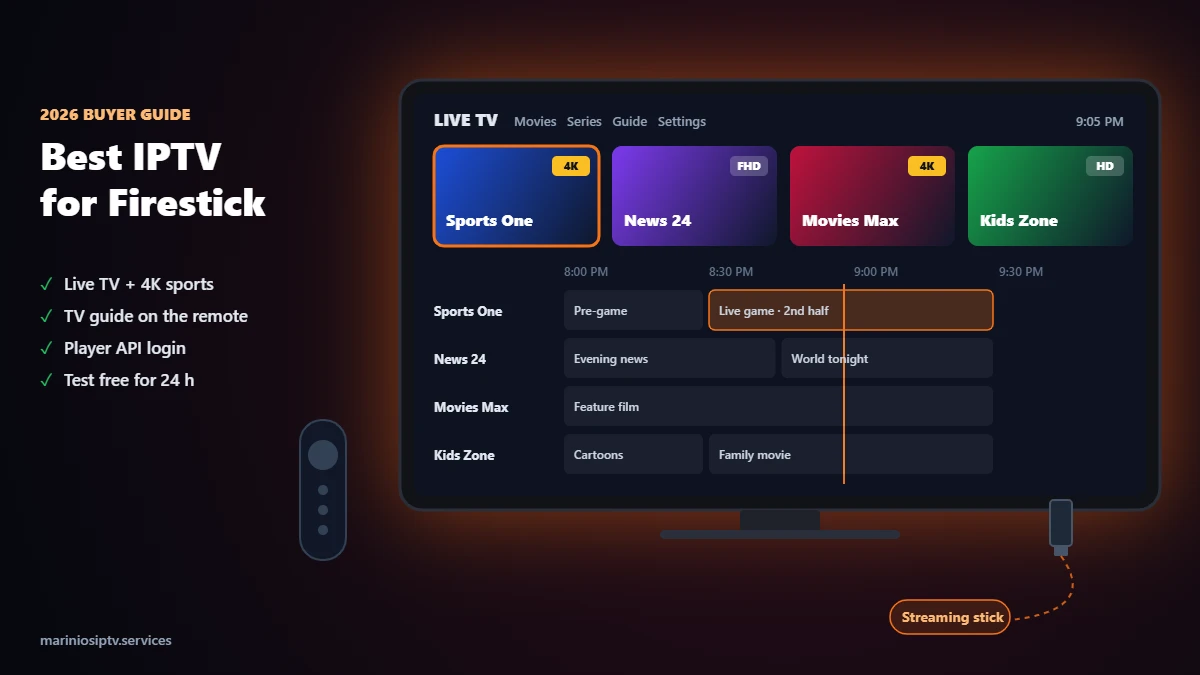
What makes the best IPTV for Firestick?
Most “best IPTV” lists ignore the device. A Firestick has a small remote, a modest processor and usually a Wi-Fi connection, so the best IPTV for Firestick has to fit those limits. Score any service on these six points during a trial. Together they decide the best IPTV for Firestick in your home:
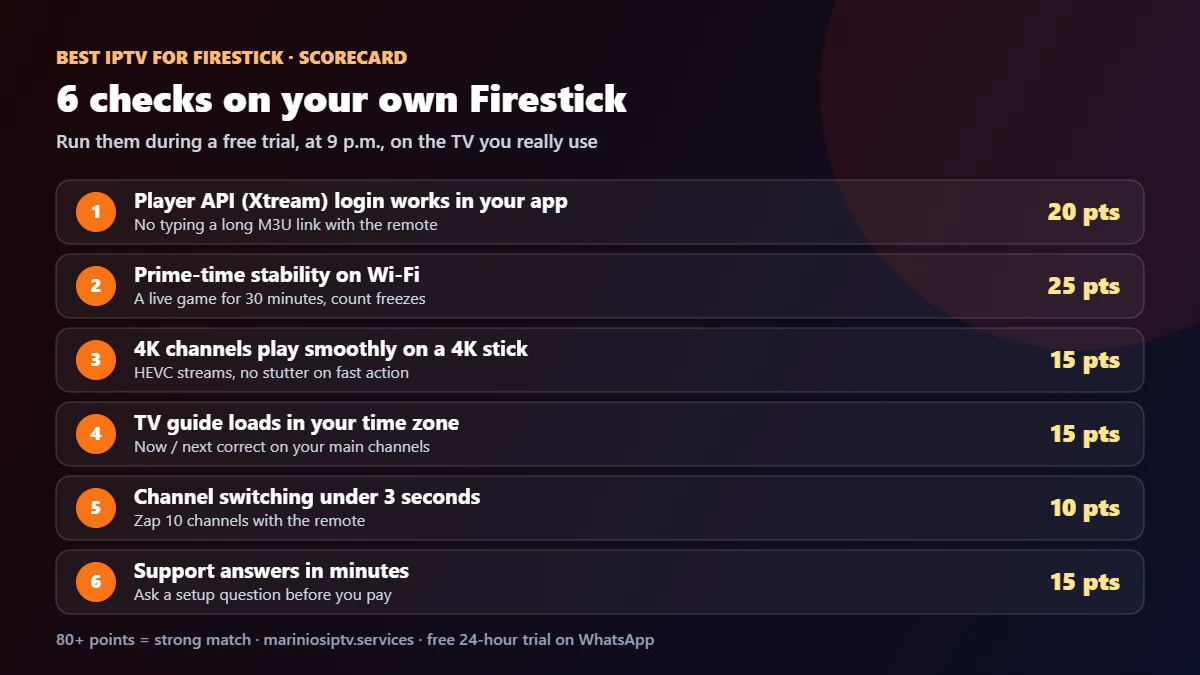
| Check | Points | Why it matters on a Firestick |
|---|---|---|
| Player API (Xtream) login | 20 | Three short fields instead of a 100-character M3U link typed with the remote |
| Prime-time stability on Wi-Fi | 25 | Most sticks sit behind the TV on Wi-Fi; a good service still plays a live game without freezes |
| 4K on a 4K stick | 15 | 4K channels should play smoothly on a Fire TV Stick 4K or 4K Max |
| TV guide in your time zone | 15 | The guide is how you browse with a remote; it must be correct |
| Channel switching under 3 seconds | 10 | Slow zapping is the first thing you notice on a stick |
| Support that answers in minutes | 15 | Setup questions on a Firestick are common; you want a real answer fast |
80 points or more is a strong match for your Firestick. Under 70, keep looking.
Step 0: check which Firestick you have
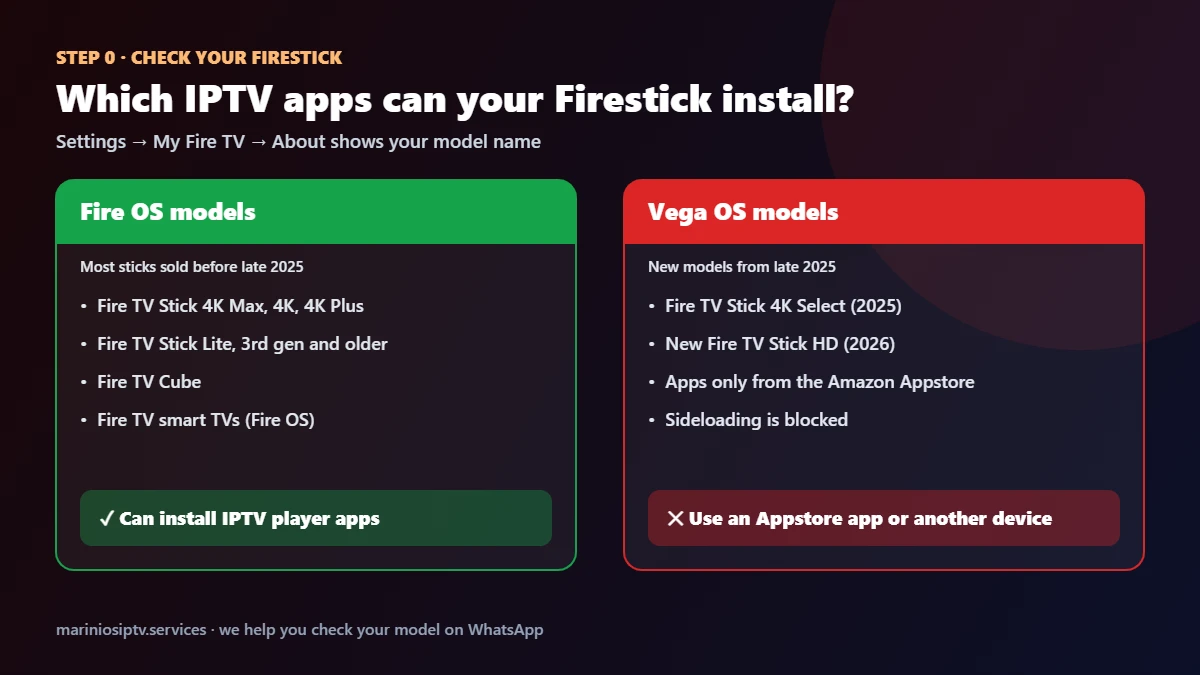
Since late 2025, Amazon has been moving new sticks to Vega OS, which only installs apps from the Amazon Appstore. That changes which IPTV app for Firestick you can use:
- Fire OS models (Fire TV Stick 4K Max, 4K, 4K Plus, Lite, 3rd gen and older, Fire TV Cube, Fire TV smart TVs): you can install the popular IPTV players.
- Vega OS models (Fire TV Stick 4K Select from 2025 and the new Fire TV Stick HD from 2026): only Appstore apps. If no suitable player is in the Appstore in your country, use a smart TV app or a Google TV stick instead.
To check, open Settings → My Fire TV → About; the model name is at the top. Our Firestick installation guide has the full model table.
The best IPTV app for Firestick
Your IPTV service gives you the channels; the app shows them on the stick. Even the best IPTV for Firestick feels slow in the wrong player. These are the players most Firestick owners choose:
| App | Login | Best for | Good to know |
|---|---|---|---|
| IPTV Smarters Pro | Player API or M3U | Most people: simple menus, Live TV, movies, series and catch-up | The easiest start; see our step-by-step install guide |
| TiviMate | Player API or M3U | Heavy live-TV watchers who live in the TV guide | Advanced features need its premium version |
| IBO Player Pro | Device ID + key, playlist added online | People who prefer to set up from their phone | Free for 7 days, then a one-time activation |
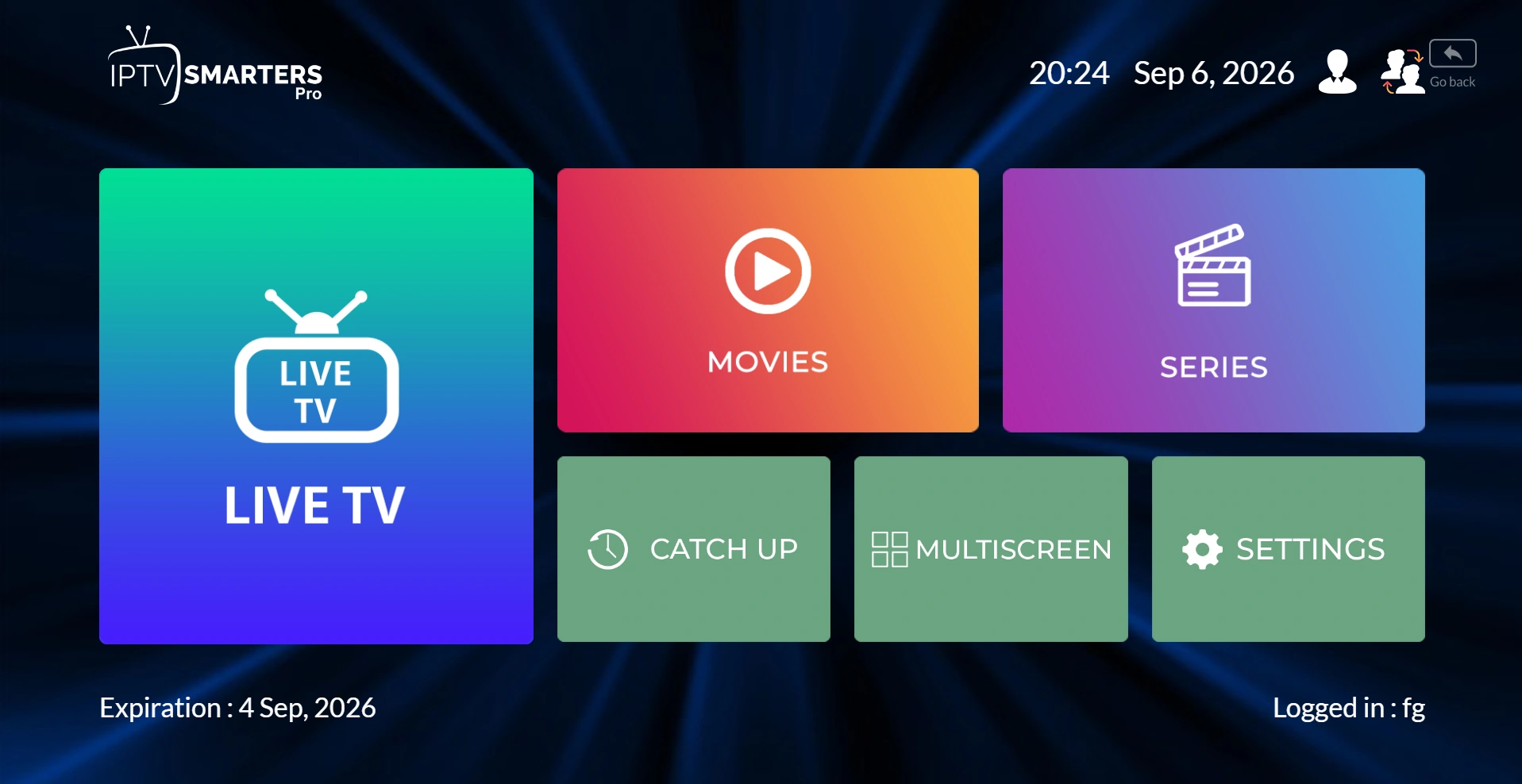
For a deeper comparison of features, see IPTV Smarters Pro vs IBO Player Pro. Here is what IPTV Smarters Pro looks like once you are logged in:
How to set up IPTV on Firestick in 5 minutes
How do I download IPTV on Firestick?
You do not download IPTV itself: you install an IPTV app for Firestick, then sign in with the login from your IPTV provider. On sticks with Fire OS, install the player from the Amazon Appstore if it is listed, or follow the developer’s official instructions as shown in our install guide. On the newest sticks with Vega OS (for example the Fire TV Stick 4K Select), only Appstore apps can be installed, so pick an IPTV app for Firestick that is offered there. We never send APK files, and you should not install one sent in a chat.
A typical IPTV Firestick setup takes about five minutes once the player is installed:
- Check your model (Step 0 above).
- Install the player. On Fire OS, our IPTV Smarters Pro Firestick guide shows every click, including Developer Options and the Downloader app.
- Choose “Login with Xtream Codes API” and type the four fields from your provider: any name, username, password and server URL.
- Wait for the first load. Channels, movies and the TV guide download in a minute or two.
- Add favorites so your main channels are one click away on the remote.
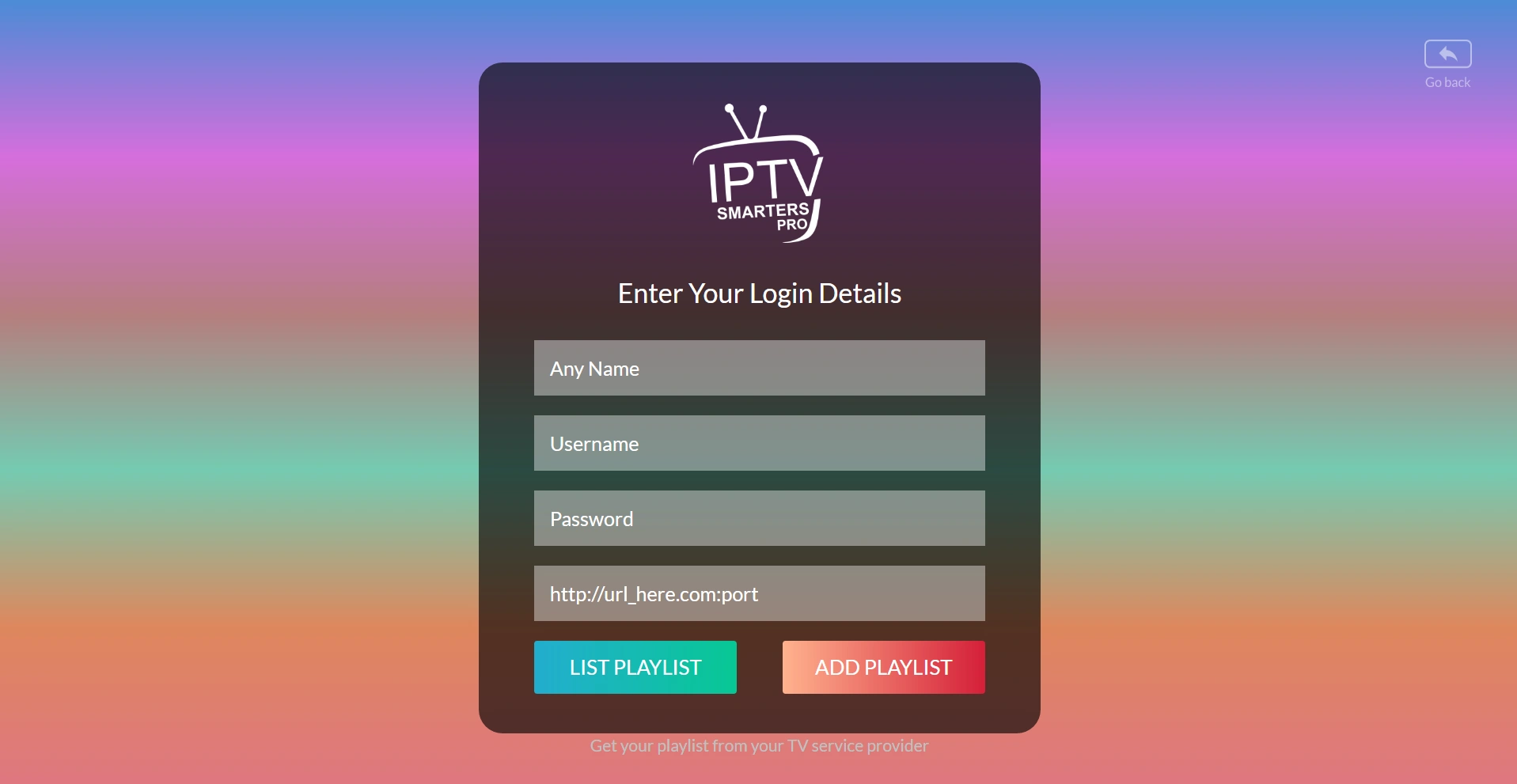
Login error on the first try? It is almost always a typo in the server URL. Our “failed to authorize” fix covers every cause.
Marinios IPTV on Firestick: plans and prices
We built our service for exactly this setup: Player API login, a TV guide for US time zones, and 4K channels that play on a Fire TV Stick 4K. If you want the best IPTV for Firestick at a fair price, compare the cost per month below. Every plan includes 55,000 live channels, 250,000 movies and series, catch-up and 24/7 support on WhatsApp.
| Plan | 1 Firestick | 2 screens | 3 screens | 4 screens |
|---|---|---|---|---|
| 1 month | $15 | $26 | $32 | $40 |
| 3 months | $30 | $55 | $65 | $80 |
| 6 months | $45 | $80 | $100 | $120 |
| 12 months | $60 ($5/month) | $100 | $135 | $170 |
Using IBO Player Pro on a smart TV next to your Firestick? After its 7-day trial, send us a photo of the activation screen on WhatsApp and we activate it for €9.99, separately from your subscription. See all options on the plans page or our IPTV subscription guide.
Make IPTV on your Firestick run smoothly
Even the best IPTV for Firestick can buffer on a weak connection. These five habits fix most problems:
- Use the 5 GHz Wi-Fi or, better, an Ethernet adapter for the stick. A cable fixes most buffering on game night.
- Run a speed test on the stick itself, not on your phone. A free tool such as Speedtest by Ookla works; aim for about 25 Mbps for 4K. Our IPTV speed test explains what else to measure.
- Clear the app cache once a month: Settings → Applications → Manage Installed Applications → your player → Clear cache.
- Restart the stick weekly (hold Select and Play for five seconds) to free memory.
- Keep the TV guide to a few days on older sticks so it loads faster. Our EPG guide shows how.
How to use the Firestick remote for IPTV
The small Fire TV remote does more than most people think. These are the buttons our customers use every night with IPTV Firestick setups in IPTV Smarters, TiviMate and similar players. Exact actions vary a little from app to app.
| Button | What it usually does in an IPTV player |
|---|---|
| Select (center) | Opens a channel; while watching, shows the channel list or info bar |
| Up / Down | Changes channel in full screen in most players, or moves through the list |
| Menu (three lines) | Opens options: add to favorites, audio track, subtitles, stream info |
| Play/Pause, Rewind, Fast forward | Control movies and series; on live TV only if the channel supports it |
| Back | Returns to the list; press twice from full screen to leave the channel |
| Home (hold) | Opens the quick menu: sleep, settings, apps |
| Select + Play (hold 5 s) | Restarts the stick, the fastest fix when everything feels slow |
Tip: whatever you decide is the best IPTV for Firestick in your home, put your ten most-watched channels in favorites. With a Firestick remote, that turns a long scroll into two clicks.
IPTV on Firestick not working? 5 quick fixes
When IPTV stops working on a Firestick, the cause is usually one of five things: the login, the app, the stick’s memory, the internet, or an expired plan. Go through them in this order; with any IPTV Firestick setup, most problems are solved by the second row.
| What you see | Most likely cause | Fix |
|---|---|---|
| “Failed to authorize” or “invalid login” | A typo in the server URL, or the plan or trial ended | Copy and paste the details again; check your plan dates. See our failed to authorize fix |
| App opens but freezes or crashes | Full cache or low memory | Clear the app cache, then restart the stick (hold Select + Play for 5 seconds) |
| Channels load, then buffer | Weak Wi-Fi or a busy connection | Use 5 GHz Wi-Fi or Ethernet; follow our buffering fix |
| Black screen with sound | Video decoder setting in the player | Switch the player’s decoder between hardware and software, then reopen the channel |
| Empty TV guide | Guide data not downloaded yet | Update the EPG in the player and wait a minute; see our EPG guide |
Still stuck after all five? Even the best IPTV for Firestick needs a hand sometimes: send our team the IPTV app for Firestick you use, your Firestick model and a photo of the error on WhatsApp. Our IPTV Firestick support team sees these errors every day. That is usually enough to fix it in one reply.
Red flags when buying IPTV for Firestick
- “Fully loaded” or “jailbroken” Firesticks for sale. You pay for hardware plus unknown apps, often with no support and no way to update safely. Buy a normal stick and a real subscription.
- “Lifetime” IPTV deals. No provider can honestly promise that.
- No trial and no refund policy. Read the refund policy of any service before paying.
- Only an M3U link, no Player API. Typing a long link with the Firestick remote is painful and error-prone.
The fair way to choose the best IPTV for Firestick is simple: start a free 24-hour trial on WhatsApp, run the six checks on your own stick at 9 p.m., and only then pick a plan.
Choosing between sellers? Our IPTV service providers guide explains how providers work and the 7 questions to ask before paying.
Still buffering? Our IPTV buffering fix finds the cause in 2 minutes and walks you through 6 fixes, from Wi-Fi to the provider.
Using an Apple TV instead of a stick? See our IPTV on Apple TV guide for the best App Store players and setup steps.
Have a Roku TV instead? Our IPTV on Roku guide shows the three ways that work, including adding a stick to a spare HDMI port.
Watching on an LG TV without a stick? Our IPTV on LG Smart TV guide shows the built-in option.
Quick questions
What is the best IPTV for Firestick?
The one that scores 80+ on the six checks above on your own stick: Player API login, prime-time stability, 4K, a correct TV guide, fast zapping and fast support. Test during a free trial before you pay.
What is the best IPTV app or player for Firestick?
For most people, IPTV Smarters Pro: simple, free to use with your own login, and it handles live TV, movies and series. TiviMate suits heavy guide users.
Can I watch IPTV on the new Fire TV Stick 4K Select?
It runs Vega OS, which only installs Appstore apps. If no suitable IPTV player is offered in your Appstore, use a smart TV app or a Google TV stick.
Is the best IPTV for Firestick also good on a smart TV or phone?
Yes, if it offers Player API and M3U logins. The same subscription works on a Firestick, a Samsung or Google TV, and your phone, up to the number of screens in your plan.
Do I need a VPN for IPTV on Firestick?
A VPN is not required to use our service. If you choose to use one, test the speed with and without it, because some VPNs slow streams down.
How many Firesticks can I use with one subscription?
As many as your plan’s screens: 1 to 4 at the same time. Install the app on each stick and use the same login.
Why does IPTV buffer on my Firestick?
Usually weak Wi-Fi behind the TV. Switch to 5 GHz or an Ethernet adapter, clear the app cache and run a speed test on the stick.
Not sure between a Firestick and a Google TV box? See our IPTV on Android TV & Google TV guide: players install straight from the Play Store.
Using your Firestick for live games? Read our IPTV for sports guide before the next big game.
Fire TV and Firestick are trademarks of Amazon.com, Inc. or its affiliates. Samsung and Smart TV are trademarks of Samsung Electronics. Apple TV, iPhone and App Store are trademarks of Apple Inc. Android TV, Google TV and Google Play are trademarks of Google LLC. Speedtest is a trademark of Ookla, LLC. IPTV Smarters, IBO Player Pro and TiviMate are trademarks of their respective owners. Marinios IPTV is not affiliated with or endorsed by them.