
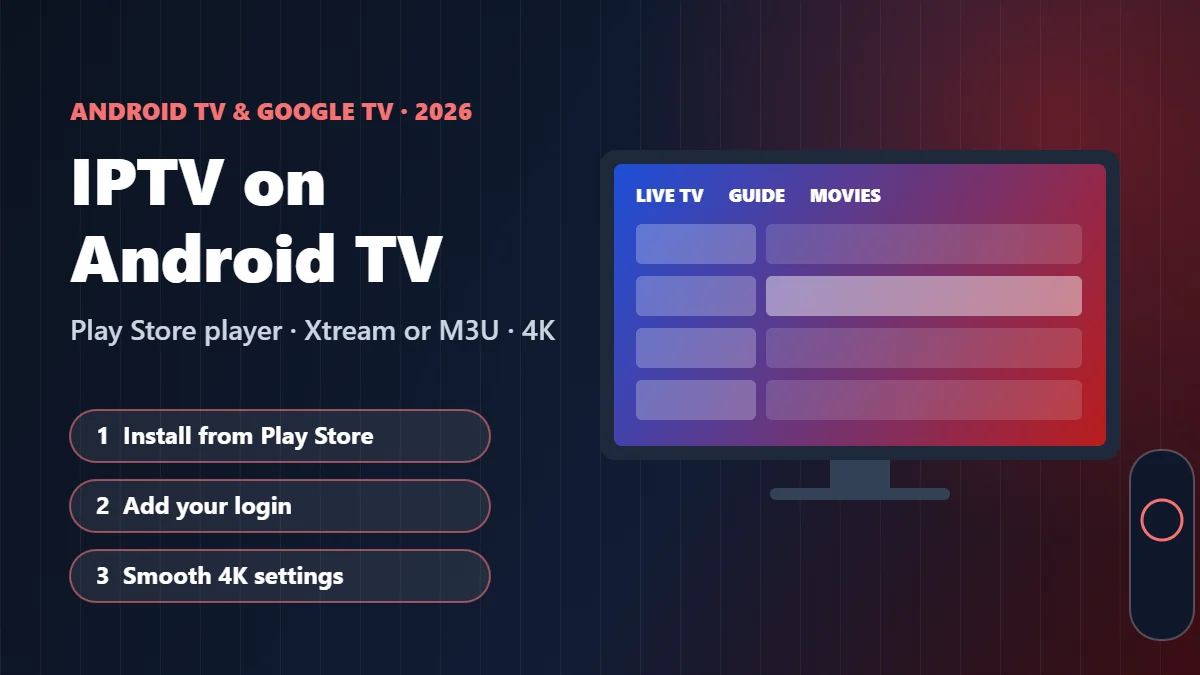
If your TV has a Google Play Store on it, you are already holding one of the easiest setups for IPTV there is. Android TV and Google TV run the same kind of apps as an Android phone, built for a remote, and almost every popular IPTV player has a TV version in the Play Store. That is why setting up IPTV on Android TV is usually the shortest conversation we have with customers on WhatsApp. Here is the full version: how to check what your device runs, the best IPTV app for Android TV for different needs, the setup step by step, and the settings that stop live sports from stuttering.
Quick answer: To watch IPTV on Android TV or Google TV, install a player such as TiviMate or IPTV Smarters Pro from the Google Play Store, choose Xtream Codes (Player API) or M3U, and enter the login from your IPTV provider. Use Ethernet for 4K and install players from the Play Store only, never from random APK sites.
Key takeaways
- Android TV and Google TV both use the Google Play Store, so you install your IPTV player like any other app. No computer, no cables.
- Google TV is the newer home screen on top of Android TV. For IPTV, the steps are almost the same.
- The player is only the app. Your IPTV subscription provides the channels, movies and TV guide.
- Install players from the Play Store only. We never recommend APK files from random websites.
In this guide
Android TV or Google TV: what do you have?
People mix these up all the time, and it does not help that the boxes look alike. Here is the short version. Android TV is the system underneath. Google TV is the newer home screen Google put on top of it, with more recommendations and profiles. If your device has the Play Store, IPTV on Google TV and on Android TV work the same way.
| You see on screen | You probably have | Common devices | IPTV setup |
|---|---|---|---|
| Home screen with “For you”, “Movies”, “Shows” tabs | Google TV | Google TV Streamer, Chromecast with Google TV, many newer Sony, TCL and Hisense TVs | Play Store → search the player → install |
| Rows of apps and channels, older look | Android TV | NVIDIA Shield TV, older Sony and Philips TVs, many Android TV boxes | Same: Play Store → install |
| No Play Store, other app store | Not Android TV | Fire TV, Roku, Samsung, LG | See our guides for those devices below |
To check for sure, open Settings → System → About and look at the Android TV OS version. While you are there, run any system update it offers. Google’s own Google TV help center shows the exact menus for each device. On a Fire TV, Roku, Samsung or LG, follow our Firestick guide, Roku guide, Samsung guide or LG guide instead.
Best IPTV app for Android TV
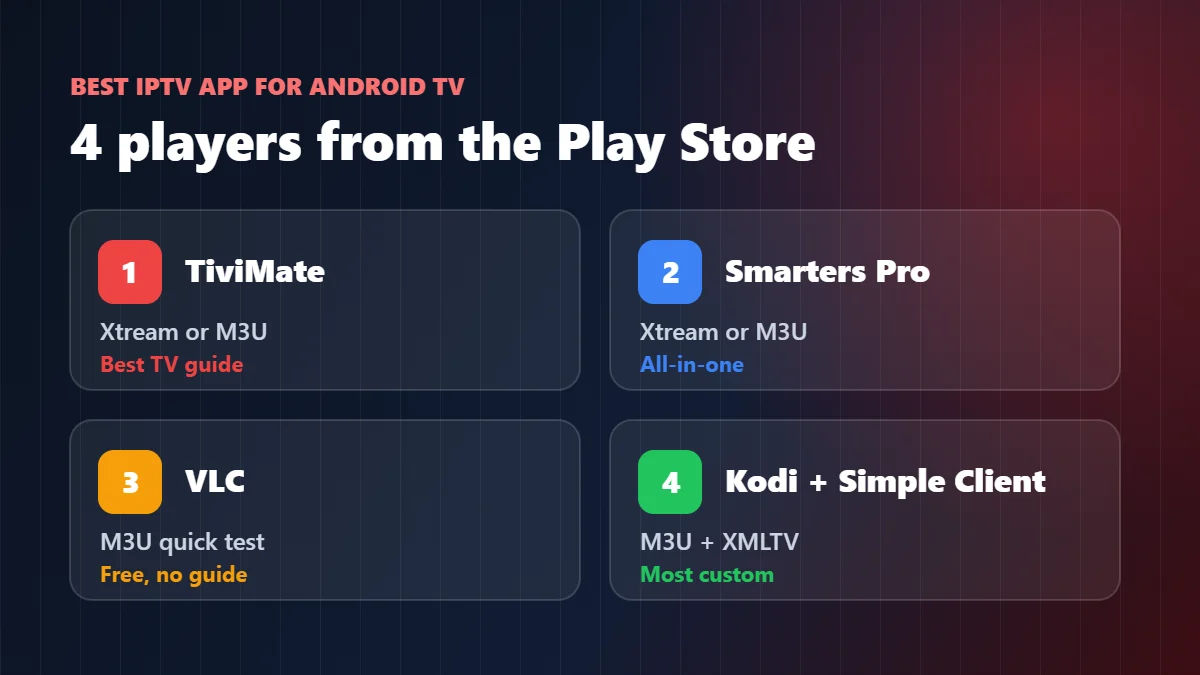
There is no single best IPTV app for Android TV for everyone. It depends on whether you care most about the TV guide, simplicity or price. These are the players our support team sees working well on Android TV and Google TV boxes. Availability can change by country and by device, so search the Play Store on your own TV.
| Player | Login | TV guide | Cost | Best for |
|---|---|---|---|---|
| TiviMate | Xtream (Player API) or M3U | Excellent, cable-style grid | Free to install; most features need a paid Premium | Live TV and sports fans who live in the guide |
| IPTV Smarters Pro | Xtream (Player API) or M3U | Yes | Free to start | Households that already use Smarters on a phone or Firestick |
| VLC for Android | M3U link | No real guide | Free, open source | A 30-second test of your playlist |
| Kodi + IPTV Simple Client | M3U + guide (XMLTV) link | Yes, full grid | Free, open source | People who like to customize everything |
Our honest advice: if you watch mostly live TV, start with TiviMate’s free version and see whether the guide is worth Premium to you. If you want everything in one place, movies and series included, Smarters is the simpler choice. Our best IPTV player apps guide compares these players on every device.
How to set up IPTV on Android TV step by step
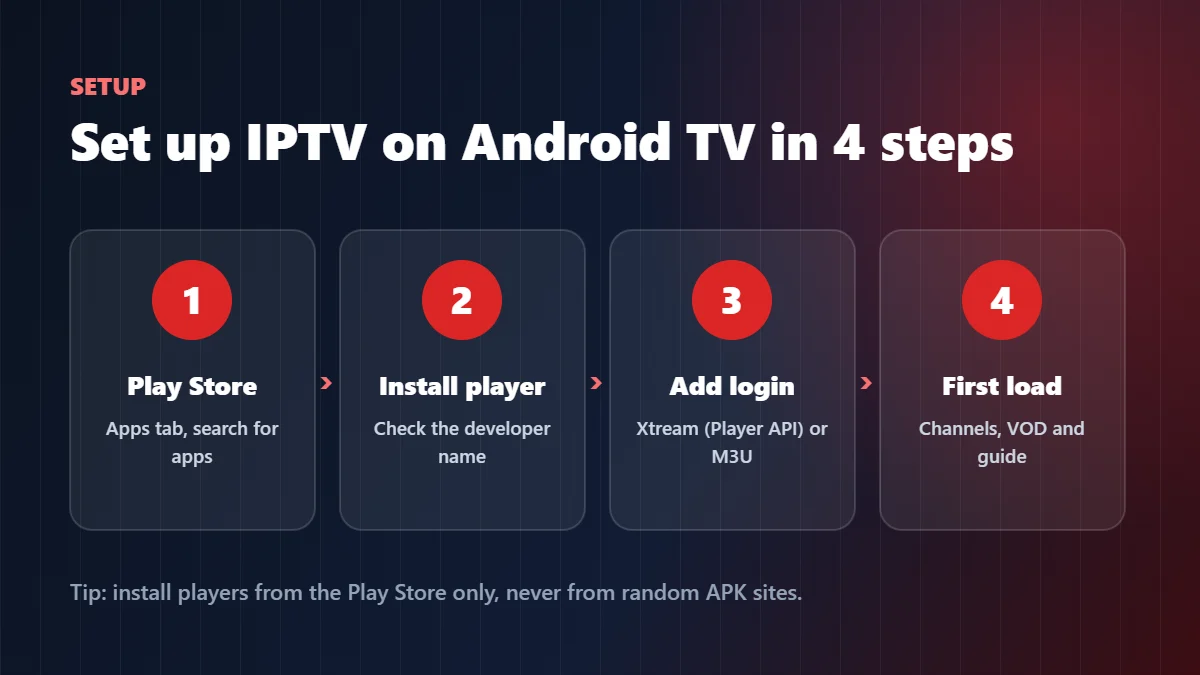
- Open the Google Play Store on the TV. On Google TV, go to the Apps tab and choose Search for apps.
- Search for your player by name, for example TiviMate or IPTV Smarters Pro, and press Install. Check the developer name on the store page before installing.
- Open the player and choose to add a playlist. Pick Xtream Codes (also called Player API) if your provider sent a username, password and server URL. Pick M3U if you received one long link.
- Enter your login. Typing on a remote is slow, so copy carefully: on Google TV, the Google TV app on your phone works as a remote with a keyboard, which makes long server URLs much easier.
- Wait for the first load. Channels, movies, series and the guide can take a minute or two the first time. After that, the app opens in seconds.
Login refused? Nine times out of ten it is one character in the server URL. Our failed to authorize fix covers every cause, and our M3U playlist guide explains each part of the link if you chose M3U.
Settings that make IPTV smoother on Google TV
Most “the stream is bad” messages we get about IPTV on Android TV are fixed by settings on the box, not on our side. Five minutes here saves a lot of frustration during the big game, and every setting below also applies to IPTV on Google TV.
| Setting | Why it helps | Where to find it |
|---|---|---|
| Ethernet instead of Wi-Fi | The most stable picture, especially in 4K | Plug a cable into the box or TV; on dongles use a USB Ethernet adapter |
| Match content frame rate | Removes the small judder in sports and movies | Often under Settings → Display & Sound → Advanced display settings, and in some players’ own settings |
| Clear the player’s cache | Fixes slow loading after weeks of use | Settings → Apps → [your player] → Clear cache (not “Clear data”, which removes your login) |
| Free up storage | Many sticks have little space; a full device slows everything | Settings → System → Storage, uninstall apps you never use |
| Hardware decoder in the player | Lets the video chip do the work, less heat and stutter | In the player’s playback settings; try the other option if a channel freezes |
| Apps only mode (Google TV) | A cleaner home screen with just your apps, no recommendations | Settings → Accounts & Sign In → your account, on supported devices |
Still buffering? Work through our IPTV buffering fix. It takes about two minutes to find out whether the problem is the internet, the device or the channel.
What about APK files and sideloading?
Android TV can install apps from outside the Play Store, and you will find plenty of websites offering IPTV players as APK files. We do not recommend it and we never send APK files to customers. Files from unknown sites can be outdated, modified or bundled with things you did not ask for, and they do not update themselves. Every player in this guide is available from an official store or the developer’s own site, which is where you should get it. If a player is not in the Play Store on your device, choose another one from the table above.
Common problems with IPTV on Android TV
These are the four issues we hear about most from people running IPTV on Android TV, with the fix for each.
The player is not in the Play Store. Some apps are hidden on certain devices or countries. Try one of the other players in the table; all of them accept the same login.
The TV guide is empty. In TiviMate and Kodi the guide sometimes needs its own link or a manual refresh. Our EPG guide shows how to fix it in each player.
It worked yesterday, now “account invalid”. Usually the trial ended, the plan expired, or another screen is already using your connection. Check your plan before reinstalling anything.
The box gets hot and slows down. Small dongles behind a TV can overheat. Give it some air, restart it once a week and keep only the apps you use.
Which IPTV service works best on Android TV?
Any IPTV on Android TV is only as good as the service behind the player. Pick a provider that gives you both an Xtream (Player API) login and an M3U link with a guide link, so you can switch between TiviMate, Smarters and Kodi without asking for new details. Our IPTV service providers guide lists the questions to ask before paying.
Marinios IPTV sends both with every plan: 55,000 live channels in HD and 4K, 250,000 movies and series, and a TV guide that loads by itself on Android TV and Google TV. Plans start at $15 for one month or $5 a month on the 12-month plan, and each Android TV box counts as one screen. You can test it on your own TV first with a free trial of up to 24 hours on WhatsApp. See the plans and prices or our IPTV subscription guide.
Quick questions
Can I watch IPTV on Google TV?
Yes. IPTV on Google TV works through the Play Store: you install an IPTV player like TiviMate or IPTV Smarters Pro, then sign in with the details from your IPTV provider.
What is the best IPTV app for Android TV?
TiviMate for live TV and the guide, IPTV Smarters Pro for an all-in-one app with movies and series, and Kodi if you like to customize. VLC is good for a quick test.
Is Android TV better than Firestick for IPTV?
Both work well. Android TV and Google TV install players straight from the Play Store, while the newest Fire TV Sticks run Vega OS and cannot sideload apps, so check which players your Fire TV model supports.
Do I need a VPN for IPTV on Android TV?
It is not required to make the service work. If you use one, pick a fast server near you, because a slow VPN is a common cause of buffering.
Can I use the same login on Android TV and my phone?
Yes. To watch on both at the same time, your plan needs two or more screens.
Android, Android TV, Google TV, Google Play and Chromecast are trademarks of Google LLC. TiviMate and IPTV Smarters Pro are the property of their respective owners. VLC is a trademark of VideoLAN. Kodi is a trademark of the XBMC Foundation. NVIDIA and SHIELD are trademarks of NVIDIA Corporation. Sony, TCL, Hisense, Philips, Fire TV, Roku, Samsung and LG are trademarks of their respective owners. Marinios IPTV is an independent IPTV provider and is not affiliated with or endorsed by any of these companies.