
Type “IPTV service” into Google and you get three very different things mixed together: apps, sellers, and articles that never explain what you are actually paying for. We run one, so let us do it properly. An IPTV service is the part that sits behind the app you open at night: the servers, the channel lineup, the TV guide data and the login that ties it all to your screen. This guide explains how an IPTV service works from the server to your TV, what a premium IPTV service should give you in 2026, and the tests we would run on any provider, including us, before paying for a year.
Quick answer: An IPTV service delivers live TV channels, movies and series over your internet connection instead of cable or satellite. You watch it in a player app with a login from the provider. A good IPTV service gives a correct TV guide, real HD and 4K, a clear number of screens, a free trial and fast human support, usually for about $5 to $15 a month.
Key takeaways
- An IPTV service delivers live TV, movies and series over your internet connection instead of a cable or satellite line.
- The service and the app are two different things: the app plays, the service provides the channels, the guide and the login.
- A good IPTV service passes four simple tests during the trial: fast channel switching, stable prime time, a guide that matches the picture, and support that answers in minutes.
- For 4K, plan on roughly 25 Mbps per screen and a wired connection if you can.
In this guide
- What is an IPTV service, in plain words?
- How an IPTV service works, from server to screen
- What a premium IPTV service should include in 2026
- IPTV service vs cable and satellite
- How do I get IPTV, and how do I use it?
- Which devices work with an IPTV service?
- How much internet speed an IPTV service needs
- How to test an IPTV service before you pay
- Red flags when choosing an IPTV service
- The Marinios IPTV service: what you actually get
- Quick questions
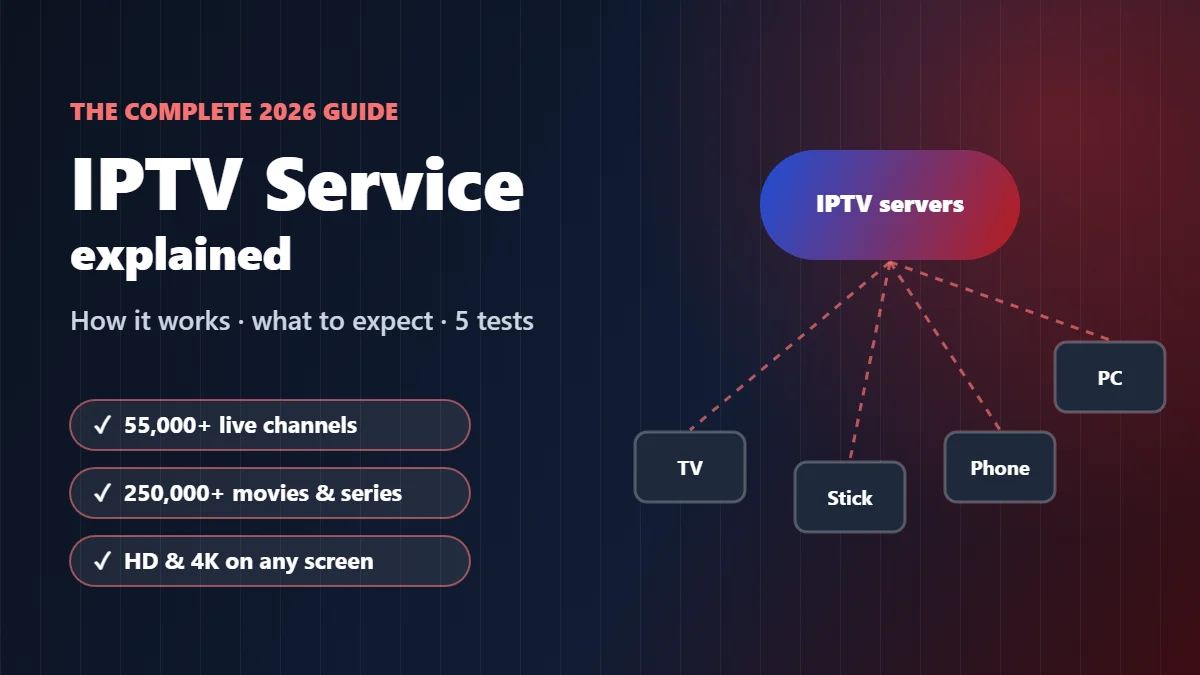
What is an IPTV service, in plain words?
IPTV stands for Internet Protocol Television. Strip the jargon away and it means this: the TV picture reaches you through the same internet connection you use for everything else, instead of through a coaxial cable or a dish on the roof.
An IPTV service is the company and the infrastructure that makes that happen. It is three things working together:
- The streams. Live channels, plus movies and series on demand, prepared to play on home internet.
- The servers. The machines that hold those streams and push them to thousands of homes at the same time, at 8 p.m. on a Sunday when everyone is watching the same game.
- Your access. A login (usually a username, password and server URL) and a TV guide feed, so your app knows what to show and what is on next.
What it is not: an app. IPTV Smarters, TiviMate and the other players you hear about are just the screen. They show whatever the service sends them. That confusion causes more wasted money than anything else in this market, so we will keep coming back to it.
How an IPTV service works, from server to screen
Here is the path a live channel takes before it reaches your couch. When something goes wrong, it goes wrong at one of these five stops, and knowing which one saves you a lot of guessing.
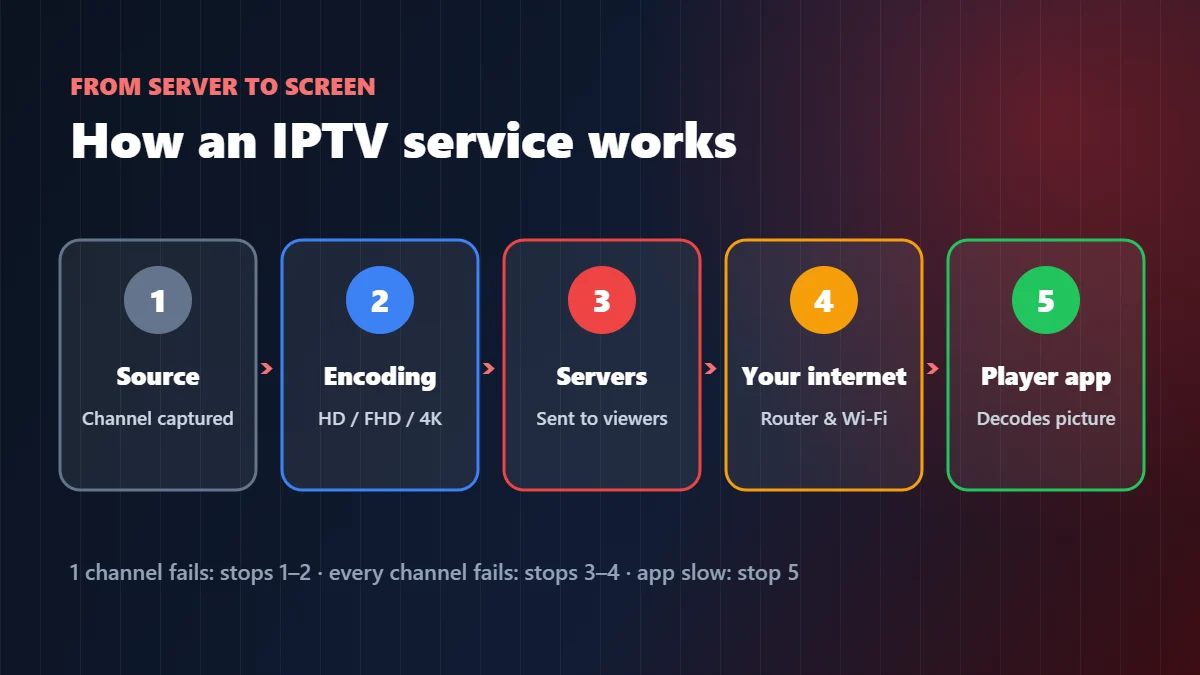
| Stop | What happens there | What it looks like when it fails | Whose job it is |
|---|---|---|---|
| 1. Source | The channel is received and captured | One channel is black or frozen, the rest are fine | The provider |
| 2. Encoding | The picture is compressed into a stream (HD, FHD or 4K) | Blocky picture in fast motion, audio out of sync | The provider |
| 3. Servers | The stream is copied out to every viewer | Everything buffers at the same time, usually at prime time | The provider |
| 4. Your internet | The stream travels from the server to your router | Buffering on every channel, worse on Wi-Fi, better at night | You and your internet company |
| 5. The player app | Your device decodes and shows the picture | Crashes, slow menus, guide not loading | The app and your device |
A quick rule we use in support: if one channel fails, look at stops 1 and 2. If every channel fails at the same moment, look at stop 3 or 4. If the app itself is slow, it is stop 5. Our IPTV buffering fix walks through each case.
What a premium IPTV service should include in 2026
“Premium” is written on every sales page, so it means nothing on its own. These are the things that actually separate a premium IPTV service from a cheap one, in the order our customers notice them.
- A TV guide that matches the picture. When the guide says the game is on, the game is on. A guide that is off by an hour, or empty, is the first sign of a careless service. See our EPG guide for what good looks like.
- Real HD and 4K, not just labels. A channel called “4K” that plays like an old DVD is common. Our 4K and 8K buying guide shows how to check.
- Two ways to log in. An Xtream (Player API) login and an M3U link, so you can switch apps without waiting for new details. Our M3U playlist guide explains both.
- A clear number of screens. One screen, two, three or four at the same time, written on the plan. “Unlimited devices” is a promise no honest service can keep.
- Support run by people. On a game night, a reply in five minutes is worth more than any feature list.
- A trial and a refund policy in writing. You should be able to test before you pay, and know what happens if it does not work for you.
IPTV service vs cable and satellite
People rarely switch to an IPTV service because they love technology. They switch because the cable bill went up again. Here is the honest comparison, including the parts where cable still wins.
| IPTV service | Cable / satellite | |
|---|---|---|
| Typical price | From about $5 to $15 a month for one screen | Often well over $100 a month once boxes and fees are added |
| Contract | Usually none; pay for 1, 3, 6 or 12 months | Often 12 to 24 months, with early-cancellation fees |
| Equipment | Devices you already own: smart TV, stick, phone, laptop | Rented boxes, technician visits |
| Where it works | Anywhere with a good internet connection | At the address on the account |
| Depends on | Your internet speed and the provider’s servers | The cable line or the dish signal |
| Where cable still wins | No internet needed, and nothing to set up. If your connection is slow or unstable, cable is the safer choice. | |
For a wider look at cutting the cord, read our cord-cutting guide.
How do I get IPTV, and how do I use it?
You get IPTV by choosing a provider, testing it with a free trial, paying for a plan, and entering the login they send you in a player app on your TV, stick, phone or computer. The whole thing takes about ten minutes, and you do not need any new hardware if you already own a smart TV or a streaming stick.
- Pick a provider and ask for a trial. Run the five tests from the section below on the device you will really use.
- Choose a plan with the right number of screens: one screen per TV or phone watching at the same time.
- Install a player app from your device’s official store, such as IPTV Smarters, TiviMate or another player from our player apps guide.
- Enter your login: a username, password and server URL (Player API), or an M3U link. Channels, movies and the TV guide load in a minute or two.
Using it day to day is like using cable with a remote: open the app, choose Live TV, pick a category, and press the channel. Add favorites so your main channels are one click away, and open the TV guide to see what is on next. Our IPTV subscription guide shows the buying steps in more detail.
Which devices work with an IPTV service?
Almost anything with a screen and an app store. The service stays the same; only the player app changes from one device to the next. We have a step-by-step guide for each one:
- Amazon Fire TV and Firestick: best IPTV for Firestick and IPTV Smarters on Firestick
- Android TV and Google TV: IPTV on Android TV
- Smart TVs: Samsung and LG
- Apple TV and Roku: IPTV on Apple TV and IPTV on Roku
- Windows PC and laptop: IPTV Smarters Pro for Windows
Not sure which app to pick? Our best IPTV player apps guide compares them side by side.
How much internet speed an IPTV service needs
The single most common reason an IPTV service “doesn’t work” is the connection in the house, not the service. These are the numbers we give customers. They are per screen, so two people watching 4K in different rooms need double.
| Quality | Steady speed per screen | Our advice |
|---|---|---|
| SD | 3–4 Mbps | Fine on almost any connection |
| HD (720p) | 5–8 Mbps | Wi-Fi is usually OK |
| Full HD (1080p) | 10–15 Mbps | Good Wi-Fi or a cable |
| 4K | 25 Mbps or more | Use Ethernet whenever you can |
The FCC’s broadband speed guide uses similar figures. Run a speed test on the device itself, not on your phone in another room, and run it at the hour you actually watch. A connection that shows 200 Mbps at noon can struggle at 9 p.m. when the whole street is streaming.
How to test an IPTV service before you pay
This is the part most guides skip, and it is the part that matters. A sales page cannot show you how a service behaves under load. A trial can, if you use it properly. These are the five tests we would run on any IPTV service, ours included.
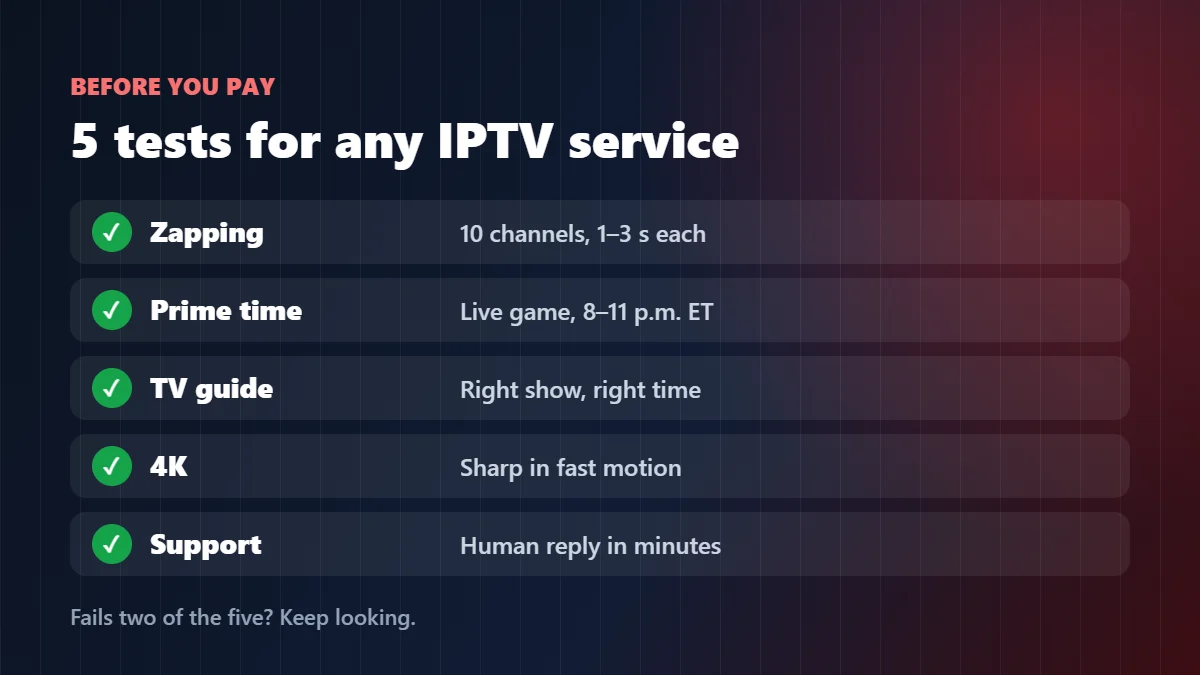
| Test | How to do it | Pass | Fail |
|---|---|---|---|
| Zapping test | Switch between 10 channels you actually watch | Each one starts in about 1–3 seconds | Long black screens, several dead channels |
| Prime-time test | Watch a live game between 8 and 11 p.m. Eastern | One or two short pauses at most | Constant buffering on a good connection |
| Guide test | Compare the guide with what is really on screen | Correct show, correct time | Empty guide or wrong times |
| 4K test | Open a 4K channel and look at fast motion | Sharp grass, clean scoreboard | Blocky picture, “4K” in name only |
| Support test | Ask one real question on WhatsApp at night | A human answer in minutes | Silence, or a copy-paste reply |
Do all five during the trial window, on the device you will really use. If a service fails two of them, keep looking. Our free trial guide explains how to get the most out of the hours you have.
Red flags when choosing an IPTV service
Most IPTV services are ordinary businesses doing their best. A few are not. These signs have never once turned out well for the customers who wrote to us after buying elsewhere:
- “Lifetime” plans. Servers cost money every month. A one-time payment for life usually lasts a season.
- “Unlimited devices”. Every stream costs server capacity. No real service can give it away without limits.
- No trial and no refund policy. If they will not let you test, ask yourself why.
- Using an app’s name or logo as their own. Selling “the official Smarters subscription” is borrowing someone else’s brand. Our Smarters subscription guide explains the difference.
- Files sent to install. A service sends you a login, not a program. Install apps from official stores only.
For a full checklist of questions to send a provider before paying, see our IPTV service providers guide. If budget is the main concern, our cheap IPTV guide shows where the real savings are.
The Marinios IPTV service: what you actually get
We compare a lot of IPTV services in support chats, so we hold ourselves to the same list. Since you are on our site, here is our own offer, laid out the same way we just told you to judge everyone else. Marinios IPTV is an IPTV service built for viewers across the US:
- 55,000 live channels in HD and 4K, and 250,000 movies and series on demand.
- A TV guide that loads by itself in the main players.
- Xtream (Player API) login and M3U link with every plan, so any of the players in our guides will work.
- 1 to 4 screens at the same time, depending on the plan you choose.
- A free trial of up to 24 hours on WhatsApp, 24/7 support and a 30-day money-back guarantee.
| Screens | 1 month | 3 months | 6 months | 12 months |
|---|---|---|---|---|
| 1 screen | $15 | $30 | $45 | $60 |
| 2 screens | $26 | $55 | $80 | $100 |
| 3 screens | $32 | $65 | $100 | $135 |
| 4 screens | $40 | $80 | $120 | $170 |
Run the five tests on us first. If we pass, see the plans and prices or read our IPTV subscription guide for how to get started in about three minutes.
Quick questions
Does IPTV have local channels?
Many IPTV services include US local channels from major markets, but coverage varies by city. Check the channel list for your area during the free trial, and keep an antenna as a free backup for local broadcasts.
Does IPTV have subtitles?
Many movies, series and some live channels carry subtitles or several audio tracks. Turn them on from the player’s menu during playback; availability depends on the channel or title.
How many channels does an IPTV service have?
Anywhere from a few thousand to tens of thousands. Marinios IPTV includes 55,000 live channels and 250,000 movies and series.
How do I pay for an IPTV service?
With us: card, Apple Pay, Google Pay or Revolut Pay at checkout, or PayPal and Binance by asking our team on WhatsApp.
Is IPTV reliable, or does it keep cutting out?
On a good service and a decent connection it is as stable as cable. Our servers are updated every month and we keep adding 4K and 8K channels; test it on a live game during the free trial.
What is an IPTV service?
A service that delivers live TV channels, movies and series over your internet connection. You watch it in a player app on your TV, stick, phone or computer, using a login the service gives you.
Is an IPTV service the same as an IPTV app?
No. The app is only the player. The IPTV service provides the channels, the TV guide and the login that the app uses.
How much does an IPTV service cost?
Most serious services charge between about $5 and $15 a month for one screen, with lower monthly prices on longer plans and higher prices for more screens.
What makes a premium IPTV service different?
Stable streams at prime time, a correct TV guide, real HD and 4K, a clear number of screens, a trial, a written refund policy and fast human support.
What internet speed do I need for an IPTV service?
About 10–15 Mbps per screen for Full HD and 25 Mbps or more per screen for 4K, ideally over a wired connection.
Can I use one IPTV service on several devices?
Yes. You can install it on as many devices as you like, but you can only watch on as many at the same time as your plan’s screen count.
Watching mainly for the games? Our IPTV for sports guide shows how to watch sports without cable and set up your TV for game day.
College football fan? See how to stream college football without a cable bill.
IPTV Smarters, TiviMate, Fire TV, Firestick, Android TV, Google TV, Samsung, LG, Apple TV, Roku and Windows are trademarks of their respective owners. Marinios IPTV is an independent IPTV provider and is not affiliated with or endorsed by any of these companies.