
An IPTV trial is only as useful as what you do with it. Most people install the app, flick through a few channels at lunchtime, and decide — then discover the buffering at 9 p.m. a week later. Use your trial like a checklist instead, and 24 hours will tell you everything a review cannot. Here is how to get an IPTV free trial and how to use every hour of it.
Quick answer: An IPTV free trial lets you test a service for a limited time, often 24 hours, before you pay. Use it at prime time: watch a full live game, switch channels, open a movie and check the TV guide on the TV you will use every day. Marinios IPTV gives a free 24-hour trial on WhatsApp.
Key takeaways
- A good IPTV free trial lasts long enough to cover an evening at prime time; up to 24 hours is ideal.
- Test on the same app and TV you will really use, with a live game and a second screen.
- A trial should never need your card. Asking for payment details “just to test” is a red flag.
- Decide in 2 minutes with the checklist at the end, then pick the plan length.
In this guide
Good to know: the Marinios trial is free and lasts up to 24 hours — long enough to cover a full evening, the hardest time for any IPTV service.
How to get an IPTV free trial
With Marinios IPTV, getting your IPTV free trial takes a couple of minutes on WhatsApp:
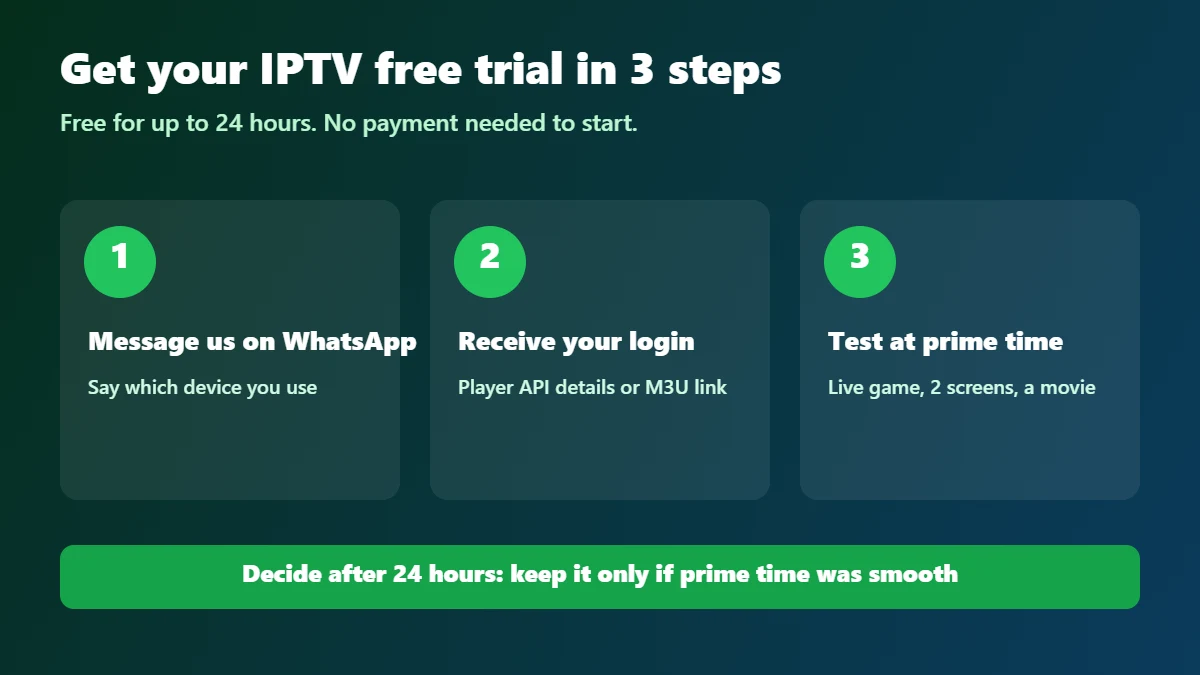
- Message us on WhatsApp and tell us which device you will test on: Firestick, Samsung TV, Android box or phone.
- Receive your login details: a Player API login (username, password, server URL) and, if your app needs it, an M3U link.
- Install the player and log in. Our Firestick guide and Samsung TV guide show every click.
- Follow the hour-by-hour plan below so the 24 hours cover the moments that matter.
Start your free 24-hour trial on WhatsApp
What a good IPTV free trial includes
| Check | Why it matters |
|---|---|
| Up to 24 hours | Covers a full evening — a 2-hour trial at noon tells you very little |
| Same servers as paying customers | Otherwise you are testing a different service |
| Full channel list and TV guide | You need to find your own channels |
| Movies and series on demand | To test start time, seeking and subtitles |
Whichever provider you test, the question is the same: is the trial running on the same service I will pay for?
The hour-by-hour plan
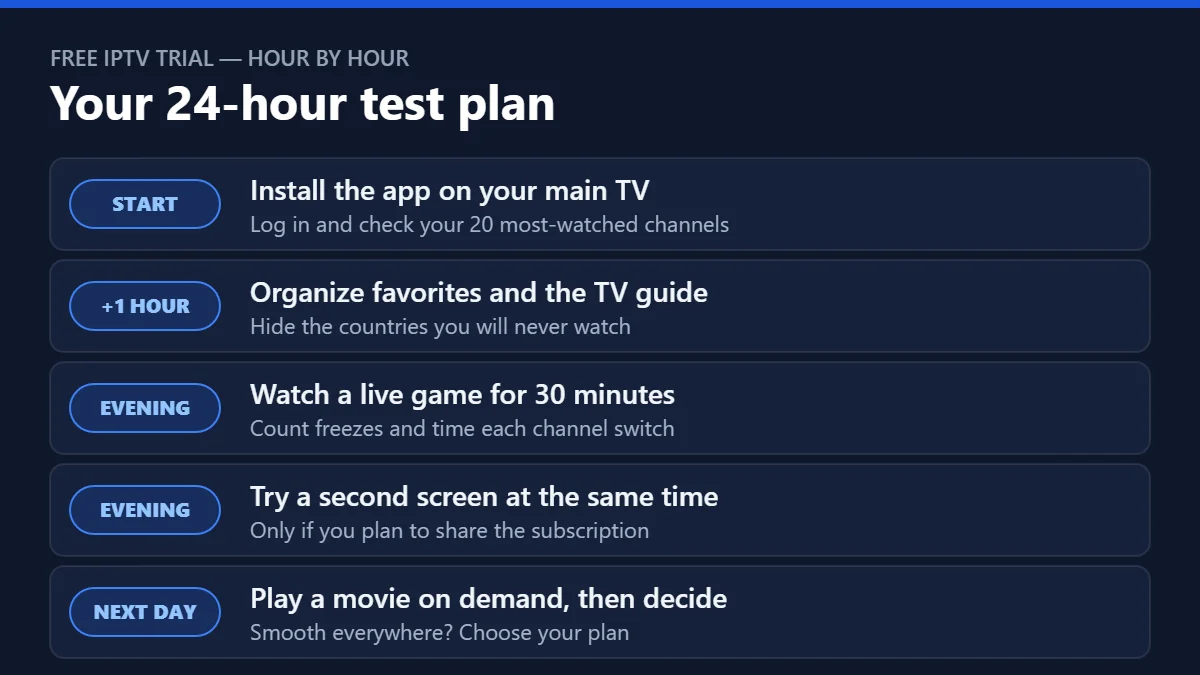
Start: install and check your channels
Install the app on the TV you use most, log in with the details we sent you on WhatsApp and tick off your 20 most-watched channels. If the login fails, our authorization fix guide solves it in minutes.
First hour: make it feel like home
Add favorites, hide the categories you will never use and check the TV guide shows the correct time. See how to organize a big channel list.
Evening: the real test
At prime time, watch 30 minutes of a live game. Run a quick check on Speedtest by Ookla from the TV, then count freezes, switch channels ten times and note how long each takes. If you will share the plan, play on a second screen at the same time.
Next morning: on demand and decision
Start a movie, skip forward and back, and check subtitles. Then score the service with the 7-point scorecard.
IPTV 24-hour free trial: the channel list check
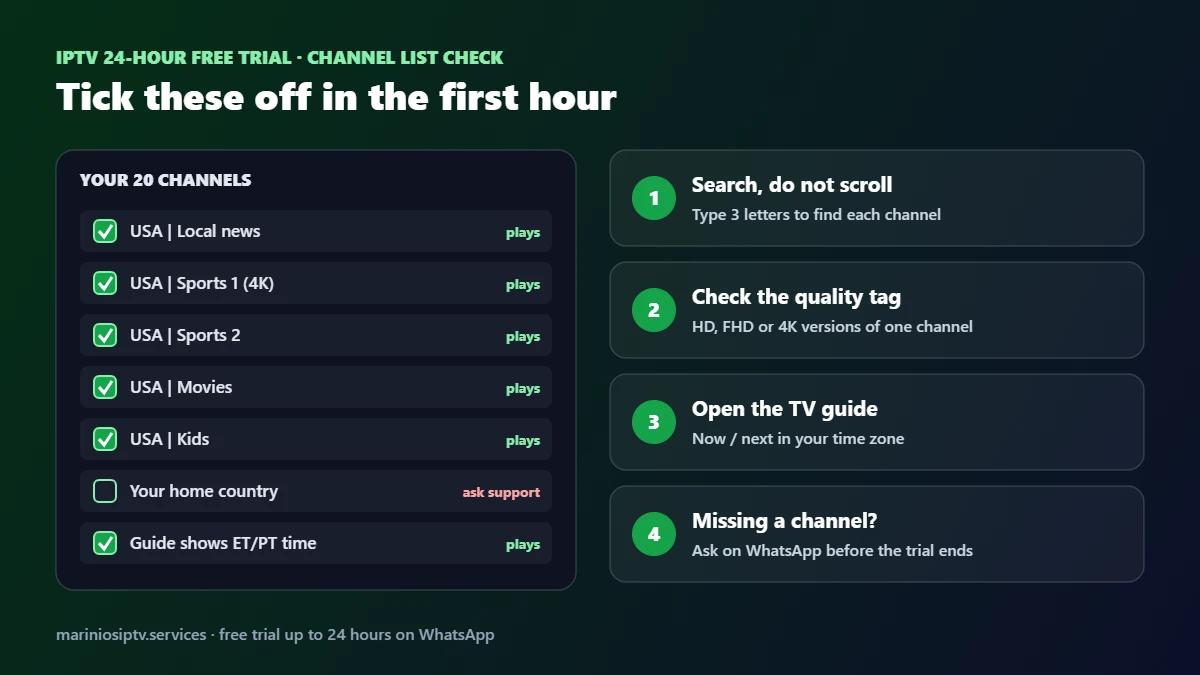
Many people ask for an “IPTV 24 hour free trial channel list” before they even test. The list on a website is only a start: during your IPTV free trial, the real channel list is the one in your app. Check it in the first hour:
| What to check | How | Good result |
|---|---|---|
| Your 20 most-watched channels | Use search, type 3 letters per channel | All found and playing |
| Quality versions | Look for HD, FHD and 4K tags on the same channel | At least one version plays smoothly on your internet |
| TV guide | Open the guide on your main channels | Correct shows at the correct time in your zone |
| Categories | Browse your country, sports, movies and kids groups | Clear names, no endless duplicates |
| Missing channel | Ask support on WhatsApp during the trial | A clear answer before the trial ends |
Our IPTV channels guide explains quality tags and how to organize a big list in 10 minutes.
IPTV providers with free trials: 24 hours, 48 hours or instant?
IPTV providers with free trials offer them in different shapes. The length matters less than what the trial lets you test:
| Trial type | What you can test | Watch out for |
|---|---|---|
| 1–2 hours | Login and a few channels | Usually skips prime time, the test that matters most |
| Up to 24 hours (our trial) | A full evening, a live game, the TV guide and on-demand | Start it in the afternoon so the evening is covered |
| 48 hours or 1 week | Several evenings | Make sure it runs on the same servers as paying customers |
| “Instant” trial | Same as above, sent within minutes | Instant should not mean automatic card sign-up |
| Paid test (a few dollars) | Whatever the plan includes | Fine if it is clearly priced and refundable |
So the best IPTV free trial is not the longest one. It is the one that covers prime time on the same service you will pay for, with no card required. With us, the free trial is sent on WhatsApp, usually within minutes, and lasts up to 24 hours. If you are comparing several IPTV service providers, our 7-question provider checklist helps you score them fairly.
IPTV free trial red flags
Not every IPTV free trial is worth your time. Walk away if you see any of these:
- A card is required to “unlock” the trial. A real free trial does not need payment details.
- A one- or two-hour trial at midday. It skips prime time, the only test that really matters.
- Trial channels that disappear after you pay. Ask whether the trial runs on the same servers as paying customers.
- An app from an unknown download site. Install players from official stores or the developer’s own website.
And remember that “free IPTV” playlists shared online are not a trial: they are usually unstable and often shared without permission. A free trial from a real provider lets you test the actual service you would pay for.
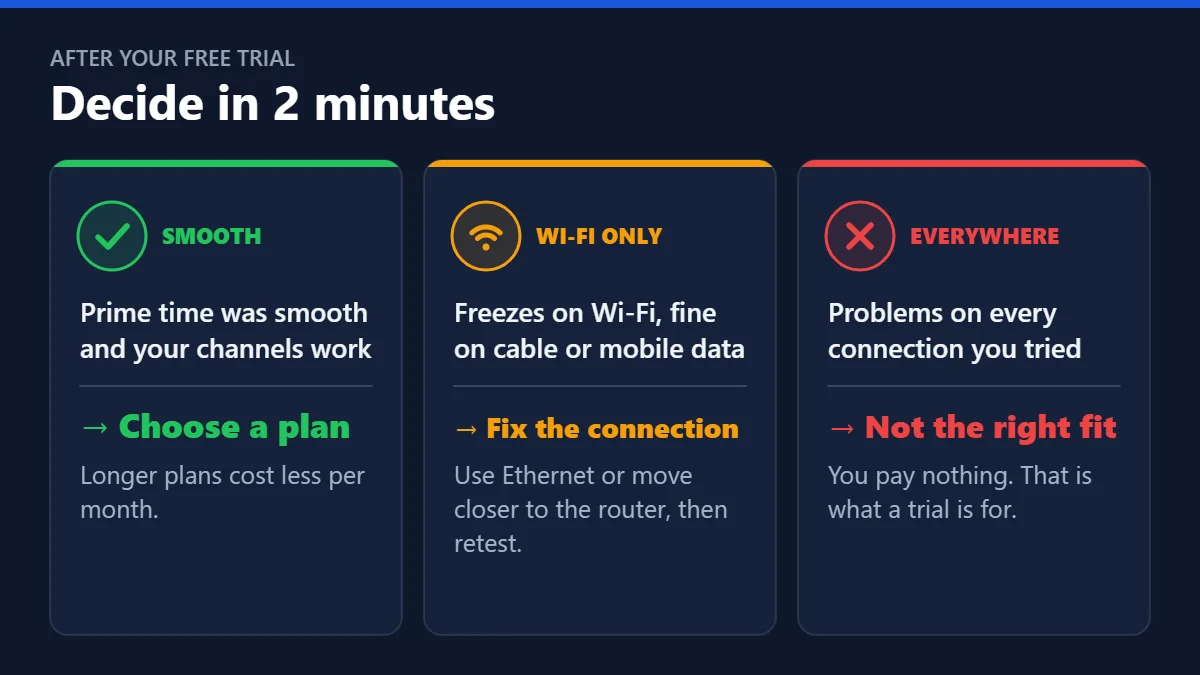
After your IPTV free trial: decide in 2 minutes
- Smooth at prime time and your channels work: choose the longest plan you are comfortable with — the 12-month plan costs $5 per month on one device.
- Problems only on Wi-Fi: fix the connection first (Ethernet or closer to the router), then test again.
- Problems everywhere: it is not the right service for your home. That is exactly what a trial is for.
Quick questions
How do I get an IPTV free trial?
Send us a message on WhatsApp with the device you want to test on. You receive your login details and can start watching within minutes.
Do I need a credit card for the free trial?
No. The Marinios IPTV free trial needs no payment details. If any provider asks for a card just to test, be careful.
Is the trial really free?
Yes — free, for up to 24 hours. When it ends, nothing is charged; you choose a plan only if you want to continue.
Can I get an instant free IPTV trial?
With us, yes in practice: message us on WhatsApp and your trial login usually arrives within minutes, with no card needed.
Which IPTV providers offer free trials?
Many do, in different lengths. Compare them on what the trial covers (prime time, same servers, TV guide), not only on the number of hours. Our best IPTV services guide lists the five signs to check.
Is a 48-hour free trial better than 24 hours?
Only if both cover an evening on the same servers you will pay for. A well-planned 24-hour IPTV free trial tells you nearly everything.
What happens after the free trial?
Nothing is charged. If you liked it, choose a plan on our IPTV subscription guide. If your TV app (such as IBO Player Pro) asks for activation after its own 7-day trial, we can activate it for €9.99 on WhatsApp.
Can I test on two devices?
The test is designed for checking your main screen. If sharing matters to you, ask support how to test a second screen before you buy. Get your free 24-hour trial on WhatsApp.
Fire TV and Firestick are trademarks of Amazon.com, Inc. or its affiliates. Samsung and Smart TV are trademarks of Samsung Electronics. Speedtest is a trademark of Ookla, LLC. IBO Player Pro is a trademark of its respective owner. Marinios IPTV is not affiliated with or endorsed by them.