
There is no single “best IPTV service” for everyone. The best IPTV services in 2026 share the same five qualities, and once a service passes those, the right plan depends on the way you watch. A sports fan alone in an apartment and a family of five with three TVs need very different things. This guide gives you the five signs, a simple way to compare the best IPTV providers side by side, and four questions that pick your plan in minutes.
Quick answer: The best IPTV service is the one that stays stable at prime time on your line, carries the channels you watch, shows clear prices, answers support in minutes and lets you test free first. Check those five signs during a 24-hour trial, then pick the plan that matches your screens.
Key takeaways
- The best IPTV services are stable at prime time, carry your channels, have a working TV guide, answer support fast and let you test first.
- Compare the best IPTV providers with the same score sheet, on your own TV and internet, during a live game.
- Pick the plan by screens, length, internet speed and what you watch most. Longer plans cost much less per month.
In this guide
- What makes the best IPTV services in 2026?
- Best IPTV services vs. best IPTV providers: is there a difference?
- How to compare the best IPTV providers side by side
- Red flags: when the “best IPTV services” lists get it wrong
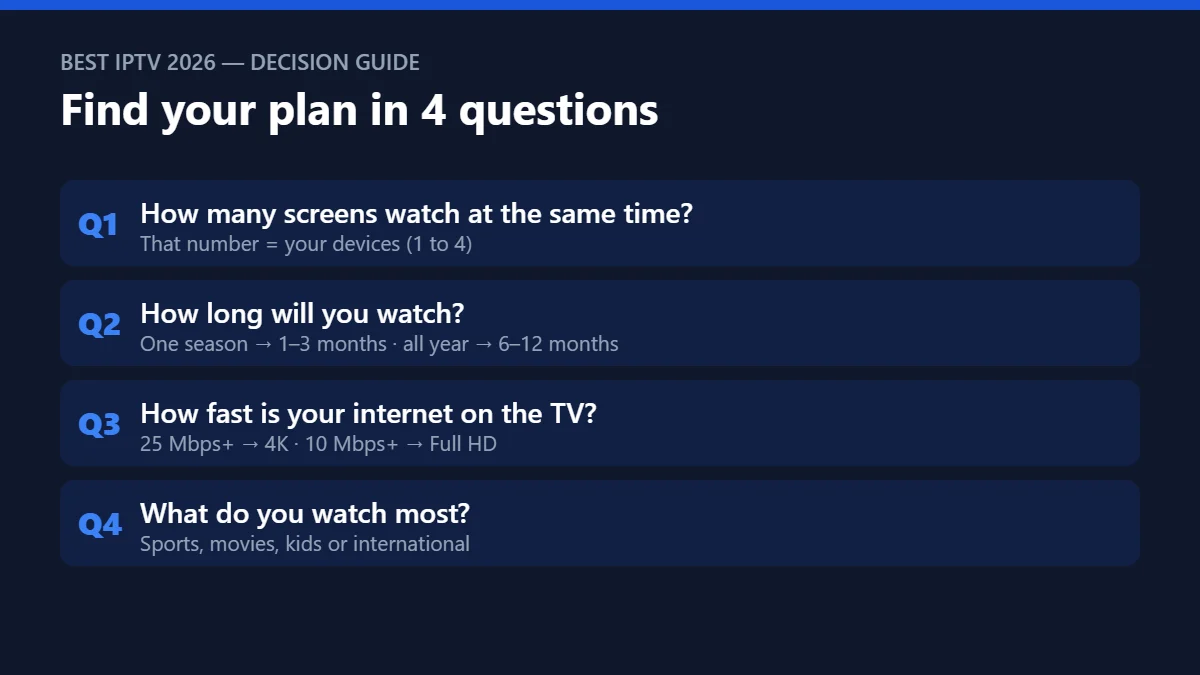
- Question 1: How many screens watch at the same time?
- Question 2: How long will you really watch?
- Question 3: How fast is the internet on your TV?
- Question 4: What do you watch most?
- Five common profiles and the plan that fits
- The best IPTV services work on the devices you already own
- Best IPTV by device: which app to use
- The best IPTV service for the USA
- Before you pay: one rule
- Quick questions
What makes the best IPTV services in 2026?
Before you compare prices, check these five signs. A service that misses even one of them is not worth a long plan, however good the advert looks.
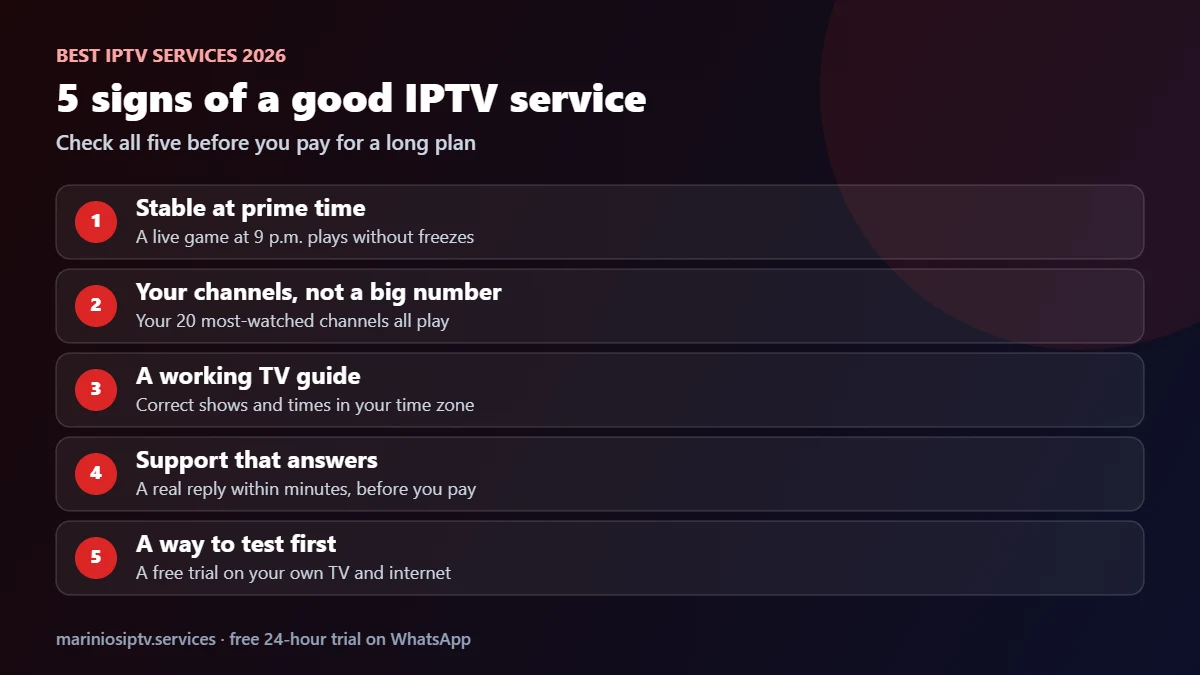
- Stable at prime time. Any service looks good at 10 a.m. The real test is a live game on a Saturday evening, when servers are busiest.
- Your channels, not a big number. 55,000 channels mean nothing if your 20 favorites are missing. Check your own list.
- A working TV guide. The program guide (EPG) should show the right shows at the right time on your main channels. Our EPG guide explains how to check it.
- Support that answers. Send a question before you pay. A reply within minutes tells you how problems will be handled later.
- A way to test first. The best IPTV services let you try before committing. Our 24-hour test plan shows how to use a trial well.
Once a service passes all five, use the score sheet and the four questions below to choose.
Best IPTV services vs. best IPTV providers: is there a difference?
People search for both, and in practice they mean the same thing: the company that sells you access to live channels and on-demand content. The words matter less than what sits behind them. Some sellers are simply resellers of another company’s servers, with no control when something breaks. The best IPTV providers run or manage their own service, answer support themselves and can fix a channel or a login the same day.
A quick way to tell: ask a technical question before you buy, for example “Which player do you recommend for a Samsung TV?” A real provider answers clearly and quickly. A reseller often sends a copied message or does not answer at all.
How to compare the best IPTV providers side by side
Use the same score sheet for every service on your shortlist, on the same TV and the same evening. That way you compare the best IPTV services fairly instead of comparing their marketing.
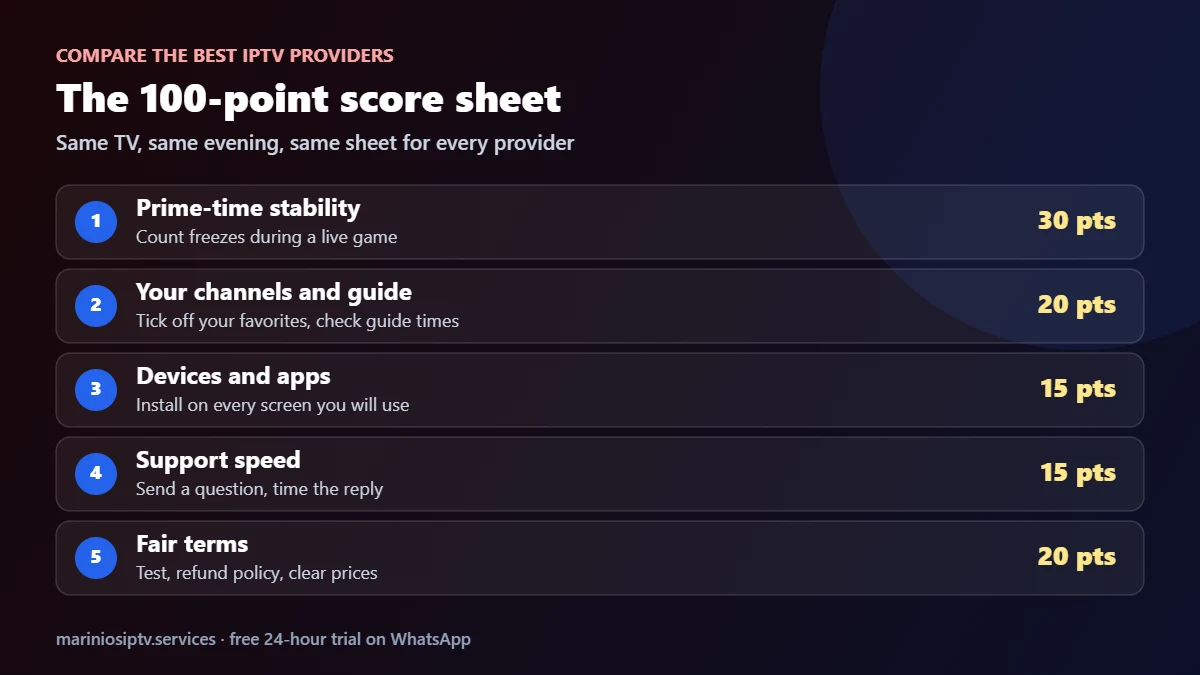
| Check | Points | How to test it in one evening |
|---|---|---|
| Prime-time stability | 30 | Watch a live game at 9 p.m. and count freezes |
| Your channels and guide | 20 | Tick off your 20 most-watched channels and check the guide times |
| Devices and apps | 15 | Install the player on every screen you will use |
| Support speed | 15 | Send a question and time the reply |
| Fair terms | 20 | Free or cheap test, written refund policy, clear prices |
80 points or more is a strong match. 70 to 79 works if the weak point does not matter to you. Under 70, keep looking. Two or three of the best IPTV services on your shortlist are enough; testing ten wastes your evening. Before you start, check your connection on the TV itself with a free test such as Speedtest by Ookla, so a slow Wi-Fi signal does not make a good service look bad. Our 20-minute IPTV speed test shows exactly what to measure.
Red flags: when the “best IPTV services” lists get it wrong
Many lists of the best IPTV services are written without anyone testing anything. The best IPTV services never need these tricks. Walk away from any provider that shows these signs:
- “Lifetime” plans, or prices that look too good to last.
- No way to test before paying for a full year.
- Support that only exists as a contact form nobody answers.
- A different channel count on every page of the same website.
- No written refund policy.
Question 1: How many screens watch at the same time?
Count the devices that are on simultaneously on a busy evening, not every device in the house. A phone that is only used when the TV is off does not need its own connection. That number is your plan size: 1, 2, 3 or 4 devices.
Question 2: How long will you really watch?
- One tournament or season: a 1- or 3-month plan.
- All year, after a good test: a 6- or 12-month plan. The 12-month plan costs $5 per month on one device, a third of the monthly price.
Question 3: How fast is the internet on your TV?
Test on the TV itself, in the evening. With 25 Mbps or more per screen, 4K is realistic. Between 10 and 25 Mbps, choose Full HD versions of channels for a smoother picture. Below 10 Mbps, connect the TV by cable before blaming the service.
Question 4: What do you watch most?
| If you mostly watch… | Check this during your test |
|---|---|
| Live sports | A full match at peak time without freezes; event channels in the guide |
| Movies and series | The on-demand library, subtitles, and how fast films start and resume |
| Kids’ content | Kids categories and a PIN lock for everything else (see our parental control checklist) |
| International channels | Your home-country categories and the correct guide times |
Five common profiles and the plan that fits
| Profile | Recommended plan | Price |
|---|---|---|
| Solo, testing the waters | 1 month, 1 device | $15 |
| Solo, watches every week | 12 months, 1 device | $60 ($5/month) |
| Couple, two TVs | 12 months, 2 devices | $100 |
| Family, three screens | 12 months, 3 devices | $135 |
| Big household or shared home | 12 months, 4 devices | $170 |

The best IPTV services work on the devices you already own
You should not need new hardware. The best IPTV providers give you login details that work in the popular player apps, so the same subscription runs on your TV, a streaming stick and your phone:
- Amazon Firestick: install IPTV Smarters Pro step by step.
- Samsung Smart TV: set up IPTV on Samsung with an app from the TV store.
- Android TV, phones and tablets: compare players in our IPTV player guide.
Many TV players, such as IBO Player Pro, run free for a trial week and then ask for a one-time activation. That activation is separate from your subscription. Marinios IPTV customers can have it done for them on WhatsApp, in the same chat as their plan.
Best IPTV by device: which app to use
The best IPTV service is only as good as the app you watch it in. The same subscription works on most devices, but each one has its own app store and a few rules. Use this table to set up the best IPTV experience on the screen you already own.
| Device | Where you get the app | What to check | Full guide |
|---|---|---|---|
| Amazon Fire TV Stick | Amazon Appstore, or the Downloader app for some players | 4K model for 4K channels, free storage | Best IPTV for Firestick |
| Apple TV | App Store only | Player supports Xtream (Player API) logins | IPTV on Apple TV |
| Samsung Smart TV | Samsung app store (Tizen) | Player available for your TV model year | IPTV on Samsung TV |
| Android TV / Google TV | Google Play | Recent system update, cable or 5 GHz Wi-Fi | IPTV player apps |
| Phone or tablet | App Store or Google Play | Counts as one screen in your plan | IPTV player apps |
Some players, such as IBO Player Pro, give a free period and then ask for a one-time activation. That fee goes to the app, not to your IPTV service, so check it before you pick a player.
The best IPTV service for the USA
If you live in the United States, the best IPTV service for you is the one that carries your local and national channels in the right time zone, with a TV guide that matches. Before you pay, check that the channels you watch most (news, NFL, NBA, college sports, your local networks) are in the list and play smoothly in the evening, when US networks are busiest. Our best IPTV USA guide lists the checks that matter for American viewers, and our cheap IPTV guide shows how to keep the price low without losing quality.
Before you pay: one rule
Whatever your profile, start with the free 24-hour trial on the main TV and watch at your usual hour. That is how the best IPTV services earn your money: by passing a real test. If it passes, buy the longest plan you are comfortable with: that is where the real savings are. All Marinios IPTV plans include the same 55,000 live channels, 250,000 movies and series, TV guide and 24/7 support; only the length and number of screens change. Compare them on the plans page.
Comparing several sellers? Our guide to IPTV service providers explains the difference between a provider, a reseller and a supplier, and our IPTV subscription guide lists every plan and price. Watching on a stick? See the best IPTV for Firestick.
Quick questions
What is the best IPTV service in 2026?
There is no single winner for everyone. The best IPTV service is the one that passes the five signs in this guide on your own TV, at prime time, during a free trial.
What is the best IPTV app?
It depends on your device: an Appstore or Downloader player on Firestick, an App Store player on Apple TV, a Tizen player on Samsung. The app does not include channels; the service does.
What are the best IPTV services in 2026?
The best IPTV services are the ones that stay stable at prime time on your own connection, carry the channels you watch, show a correct TV guide and answer support quickly. Test those things during a free trial before you pay.
How do I choose between the best IPTV providers?
Score each one with the same sheet, on the same TV, during a live game. The provider with the highest score on your own setup is your best choice, whatever the online lists say.
Can I switch from 1 to 2 devices later?
Yes. Ask support before your current plan ends.
Is the 1-month plan a good idea?
It is perfect for a single event or a first month. If you know you will keep watching, longer plans cost much less per month.
Are the best IPTV services expensive?
No. A fair price is roughly $5 to $15 a month for one screen, depending on plan length. Be careful with anything much cheaper or sold as “lifetime”.
Want to test a provider yourself? Our IPTV service guide lists 5 simple tests to run during any free trial.
Fire TV and Firestick are trademarks of Amazon.com, Inc. or its affiliates. Samsung and Smart TV are trademarks of Samsung Electronics. Apple TV, iPhone and App Store are trademarks of Apple Inc. Android TV, Google TV and Google Play are trademarks of Google LLC. Speedtest is a trademark of Ookla, LLC. IPTV Smarters and IBO Player Pro are trademarks of their respective owners. Marinios IPTV is not affiliated with or endorsed by them.