
Apple TV is one of the smoothest boxes for streaming, and many people already have one under the TV. The catch is that Apple TV has no built-in IPTV player and cannot install apps from outside the App Store. So getting IPTV on Apple TV comes down to two choices: the right player app, and an IPTV subscription that gives you a clean login. This guide shows which apps work, how to set up IPTV on Apple TV step by step (including Chillio, one of the most searched players), the settings that make the picture smoother, and the fixes for the problems people hit most.
Quick answer: To watch IPTV on Apple TV, install an IPTV player from the App Store, such as Chillio, GSE Smart IPTV or IPTVX, then add the M3U link or Player API login from your IPTV provider. Apple TV cannot sideload apps, and the channels come from your subscription, not the app.
Key takeaways
- Apple TV installs apps only from the App Store; there is no sideloading, so pick a player that is listed there.
- A player app has no channels of its own. You add the M3U link or Player API (Xtream) login from your IPTV provider.
- Players such as Chillio, GSE Smart IPTV and IPTVX support those logins; check the App Store listing for current features and price.
- Turn on Match Frame Rate and use a cable if you can for the smoothest IPTV on Apple TV.
In this guide
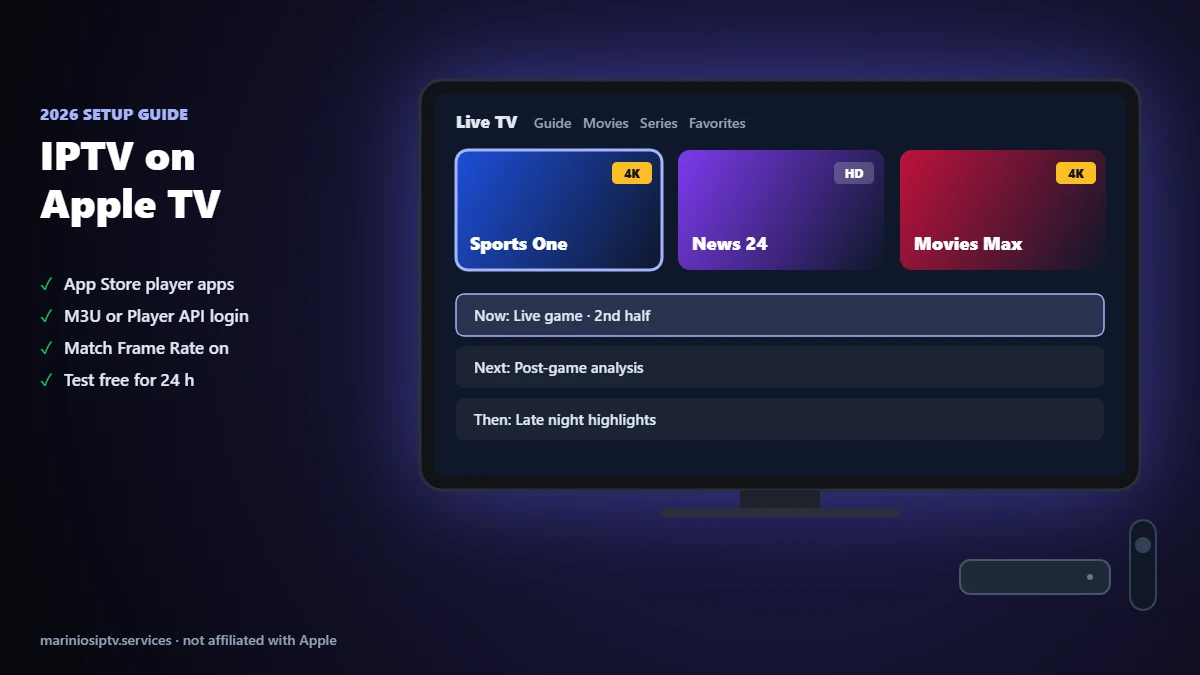
Can you watch IPTV on Apple TV?
Yes. Apple TV (tvOS) does not include an IPTV player, but the App Store has several third-party players that open the details your IPTV provider sends you. Three pieces work together:
- The Apple TV (Apple TV HD or Apple TV 4K) is the box and the remote.
- The player app reads your playlist and shows the channels, guide and on-demand library.
- Your IPTV subscription provides the channels, movies and series, and the TV guide.
Unlike a Fire TV Stick or Android box, you cannot install apps from a website on Apple TV. That is good for security, and it means you should only use players from the official App Store. If you also use a stick, compare with our best IPTV for Firestick guide.
Best IPTV apps for Apple TV
The best IPTV app for Apple TV is the one that supports your login type and feels easy with the Siri Remote. App availability and prices change, so treat this as a starting point and check each App Store listing before you install. All of these are players only; the channels come from your subscription.
| Player (App Store) | Login types | Good for | Check before you install |
|---|---|---|---|
| Chillio – IPTV Smart Player | M3U and Xtream (Player API) | People who want a simple, modern interface on Apple TV | Which features are free and which need an in-app purchase |
| GSE Smart IPTV | M3U and Xtream | Users who also use it on iPhone and iPad | Interface is more technical; check the tvOS version |
| IPTVX | M3U and Xtream | Users who want a polished guide and favorites across Apple devices | Paid app or subscription; check current price |
| iPlayTV | M3U | Live TV with a classic guide view | Fewer movie and series features |
Our advice: if your provider gives you a Player API (Xtream) login, choose a player that supports it. You type three short fields instead of a long link, and the TV guide usually loads by itself. Our M3U playlist guide explains the difference, and our IPTV player guide compares players on other devices.
How to set up IPTV on Apple TV, step by step
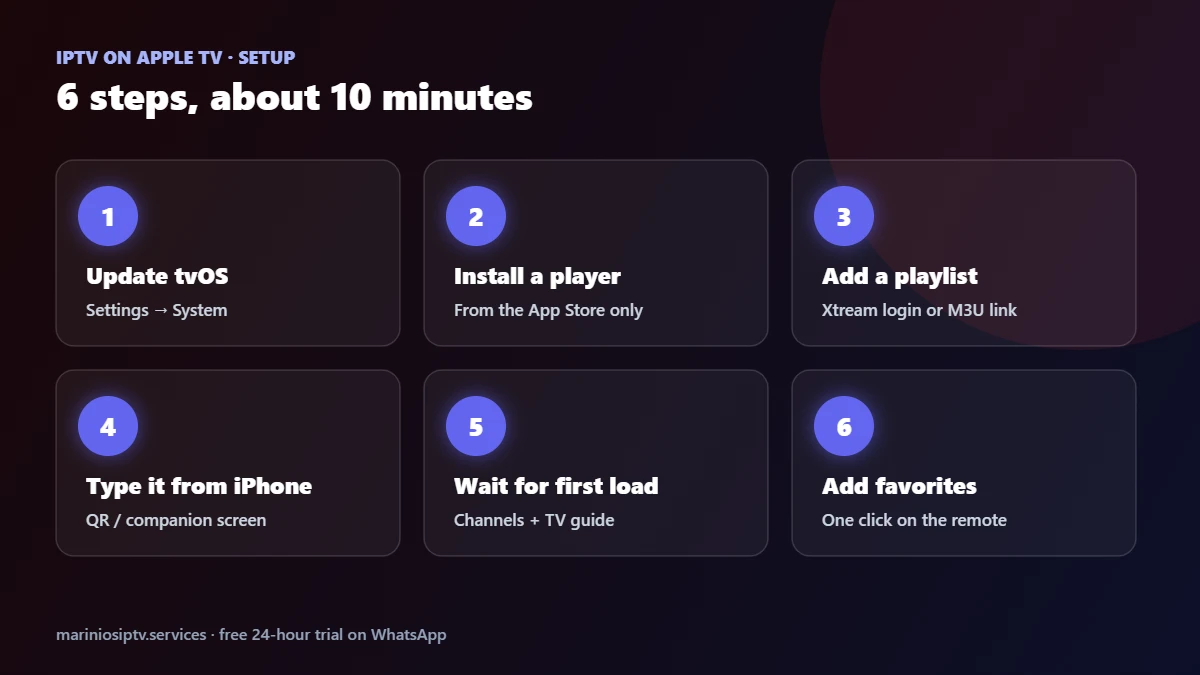
- Update tvOS: Settings → System → Software Updates. Newer players need a recent version.
- Open the App Store on the Apple TV, search for the player (for example “Chillio”) and install it. Check the developer name to avoid copycat apps.
- Open the player and add a playlist. Choose Xtream codes / Player API if your provider sent a username, password and server URL, or M3U URL if you received a link.
- Type the details carefully. Tip: many players let you add the playlist from your iPhone (QR code or companion screen), which is faster than the Siri Remote keyboard.
- Wait for the first load. Channels, movies and the TV guide download in a minute or two on a large playlist.
- Add favorites so your main channels are one click away.
If the player says the login failed, it is almost always a typo in the server URL or password; our authorization fix covers every cause.
Chillio IPTV on Apple TV: what to know
Chillio is one of the most searched IPTV players for Apple TV, which is why many people look for “Chillio IPTV Apple TV” before they buy a subscription. A few things to know before you use it:
- It is a player, not a provider. Chillio does not sell or include channels. It shows the channels from the IPTV subscription you add.
- Add your provider’s login. Use the Xtream / Player API option if you have a username and password, or paste your M3U link.
- Check what is free. Like most App Store players, some features may need an in-app purchase. Read the App Store listing before you start.
- Same subscription, several screens. You can use the same IPTV login on Apple TV, iPhone and iPad, up to the number of screens in your plan.
Whichever player you choose, IPTV on Apple TV works the same way: player from the App Store, login from your provider. Chillio works with Marinios IPTV logins. Message us on WhatsApp and we send you the details in the right format for your player.
Apple TV settings for smoother IPTV on Apple TV

- Match Frame Rate: Settings → Video and Audio → Match Content → turn on Match Frame Rate. Sports and US channels at 60 or 30 fps look smoother.
- Match Dynamic Range: turn it on in the same menu if your TV supports HDR, so non-HDR channels do not look washed out.
- Use Ethernet if your Apple TV has a network port. On Wi-Fi, keep the router close and use the 5 GHz network.
- Restart the Apple TV now and then: Settings → System → Restart. Apple explains each setting on its Apple TV support page.
Before blaming the service, run a speed test on your home network in the evening; about 25 Mbps is comfortable for 4K. Our IPTV speed test explains what to measure.
IPTV on Apple TV not working? Quick fixes
| What you see | Likely cause | Fix |
|---|---|---|
| Login or playlist fails | Typo in server URL, username or password | Re-enter the details; check http/https and the port |
| Channels load but do not play | Stream format | Try the other output format (ts or m3u8) in the player settings or link |
| Buffering at night | Wi-Fi or busy network | Ethernet or 5 GHz, pause downloads; see our buffering fix |
| TV guide empty or wrong time | EPG not loaded or time zone | Refresh the guide; check time zone; see our EPG guide |
| Picture looks stuttery on sports | Frame rate mismatch | Turn on Match Frame Rate |
| App asks to pay after a while | Player’s own in-app purchase | This is the app, not your subscription; check its App Store terms |
Get a subscription that works on Apple TV
Marinios IPTV gives you Player API (Xtream) and M3U logins that work in the popular Apple TV players, with 55,000 live channels in HD and 4K, 250,000 movies and series, a TV guide and 24/7 support on WhatsApp. One screen costs $15 for one month or $5 a month on the 12-month plan; plans for 2 to 4 screens let you use Apple TV, iPhone and iPad at the same time. See the IPTV subscription guide or the plans page.
Start a free 24-hour trial on WhatsApp and test it on your own Apple TV before you pay. Want the smoothest IPTV on Apple TV for your home? Not sure who to buy from? Read our IPTV service providers guide.
Using a Roku in another room? See our IPTV on Roku guide for store players, screen mirroring and the stick option.
Quick questions
How do I get IPTV on Apple TV?
Install an IPTV player from the App Store, open it, and add the M3U link or Player API login from your IPTV provider. The channels come from your subscription, not from the app.
What is the best IPTV app for Apple TV?
It depends on what you value: Chillio for a simple interface, GSE Smart IPTV if you also use iPhone, IPTVX for a polished guide. Choose one that supports Player API logins.
Does Chillio work on Apple TV?
Yes, Chillio is listed on the App Store as an IPTV player for Apple devices. It plays the playlist you add; it does not include channels.
Can I sideload IPTV apps on Apple TV?
No. Apple TV only installs apps from the App Store.
Is Apple TV good for 4K IPTV?
Apple TV 4K handles 4K streams well. A stable connection of about 25 Mbps and Match Frame Rate turned on make the biggest difference.
Can I use the same subscription on Apple TV and iPhone?
Yes, up to the number of screens in your plan. Install a player on each device and use the same login.
Apple TV, tvOS and App Store are trademarks of Apple Inc. Chillio, GSE Smart IPTV, IPTVX and iPlayTV are trademarks of their respective owners. Marinios IPTV is not affiliated with or endorsed by them.