
Every fall we get the same message on WhatsApp, usually on a Friday night: “I just cancelled cable. How do I watch college football tomorrow?” Fair question. College football is spread across more channels than almost any other sport: broadcast networks, sports cable channels, conference channels and streaming-only games, sometimes all on the same Saturday. This guide shows how to watch college football without cable, compares every option side by side, explains the best way to watch college football when you follow more than one team, and gets your TV ready before kickoff.
Quick answer: To watch college football without cable, use a free antenna for games on the broadcast networks and a live TV streaming app or an IPTV service for the sports and conference cable channels. The best way to watch college football is the setup that covers your team’s channels in one place and stays smooth on a busy Saturday.
Key takeaways
- You can watch college football without cable with an antenna, live TV streaming apps, an IPTV service, or a mix.
- College football games are spread across many different channels, so the best setup is the one that covers the most of them in one place.
- Saturday is the hardest day for any streaming service. Test stability on a real game day, not on a quiet Tuesday.
- Watching several games at once? Choose a plan with 2 to 4 screens.
In this guide
- How to watch college football without cable
- Ways to watch college football: your options compared
- What streaming app shows college football?
- The best way to watch college football (and stream it smoothly)
- How to stream college football on your TV
- Watching several college football games at once
- Marinios IPTV for college football fans
- Quick questions
How to watch college football without cable
To watch college football without cable, combine a free antenna for games on the big broadcast networks with a streaming option, either a live TV streaming app or an IPTV service, for the games on sports and conference cable channels. That mix covers most Saturdays for far less than a cable bill.
The reason you need a mix is how college football is broadcast. On a typical Saturday, the biggest game of the afternoon might be on a free broadcast network, the next one on a national sports cable channel, a third on a channel owned by the conference, and a smaller game only online. No single free option catches all of them. Knowing that up front is the first step to watch college football without cable and still catch every game.
Ways to watch college football: your options compared
Here are the four realistic ways to watch, with what each one actually covers. The prices are typical ranges, not exact quotes.
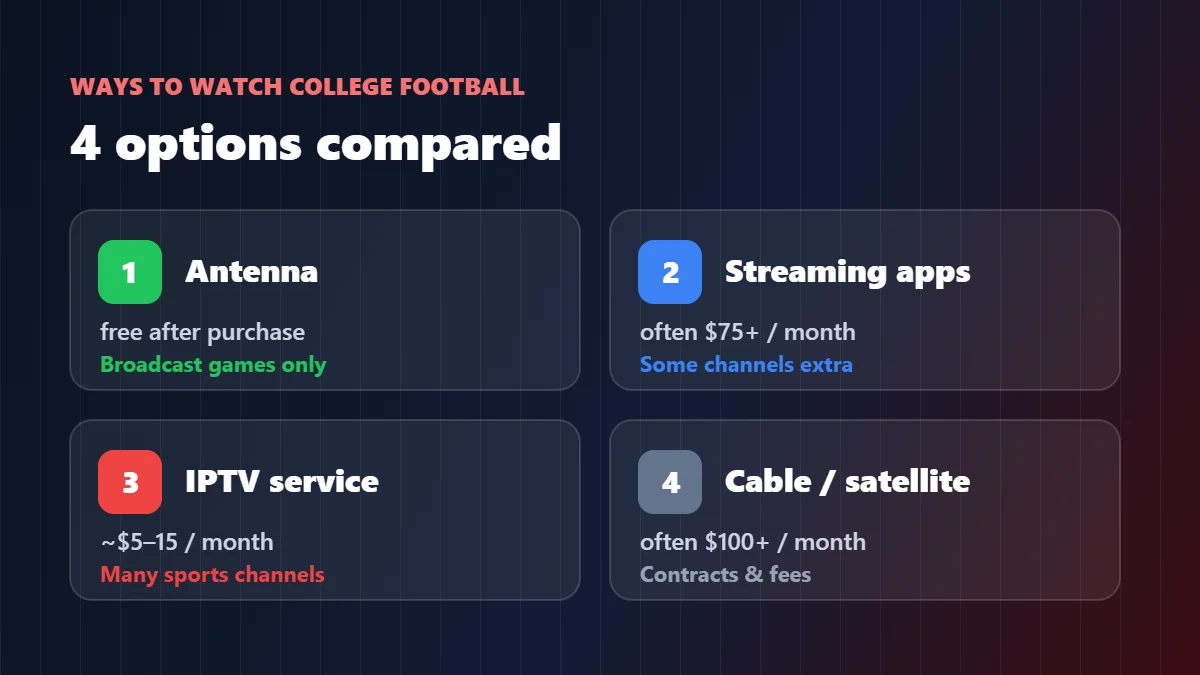
| Option | Typical cost | College football coverage | The catch |
|---|---|---|---|
| Antenna | Free after buying it | Games on the major broadcast networks in your area | No sports cable or conference channels; reception depends on where you live |
| Live TV streaming apps | Often $75 or more a month | Most national sports channels | Some conference channels cost extra or are missing |
| IPTV service | About $5–$15 a month for one screen | Wide: national, regional and many sports channels in one app | Only as good as the provider; test it on a game day first |
| Cable or satellite | Often well over $100 a month | Wide | Contract, box rental, sports fees on the bill |
To see which broadcast towers reach your home before buying an antenna, use the FCC’s DTV reception maps. For a wider comparison across all sports, see our IPTV for sports guide.
What streaming app shows college football?
No single streaming app shows every college football game; each one carries a different set of channels, so the right app depends on which channels carry your team’s games. Before you sign up for anything, do this ten-minute check:
- Look up your team’s schedule for the rest of the season and write down the channel for each game.
- Count how many games are on broadcast networks (antenna), national sports channels and conference channels.
- Check which option carries the most of those channels in one place, for the lowest price.
In our experience, fans who do this are surprised how many games sit on two or three channels they did not have. That is usually where an IPTV service, with one login for many sports channels, saves the most money and the most channel-hunting on Saturday.
The best way to watch college football (and stream it smoothly)
The best way to watch college football is the setup that covers your team’s channels and stays smooth at noon, 3:30 and prime time on a Saturday, when millions of people are streaming at once. Here is what makes the difference on game day:
| What to check | Why it matters on a Saturday | Good sign |
|---|---|---|
| Stability at peak time | Saturday afternoons and nights are the busiest hours of the week | No repeated freezes during a full game |
| Smooth motion (50/60 fps) | Long passes and kickoffs look jerky at low frame rates | Fluid camera pans, sharp ball |
| Short delay | Group chats and score apps spoil big plays | Usually under about a minute behind |
| Channel coverage | Games jump between many channels | All your team’s channels in one place |
| Several screens | Two or three games at the same time | Plans with 2–4 screens |
If you want to see why some services freeze on Saturdays and others don’t, our IPTV service guide walks through it from the server to your screen.
How to stream college football on your TV
Once you know how to stream college football, getting it onto the big screen is the easy part. Pick your device and follow the matching guide:
- Firestick or Fire TV: our best IPTV for Firestick guide
- Google TV or Android TV: our IPTV on Android TV guide
- Samsung or LG smart TV: our Samsung and LG guides
- Apple TV or Roku: our Apple TV and Roku guides
- Laptop: our Windows and PC guide, with an HDMI cable to the TV
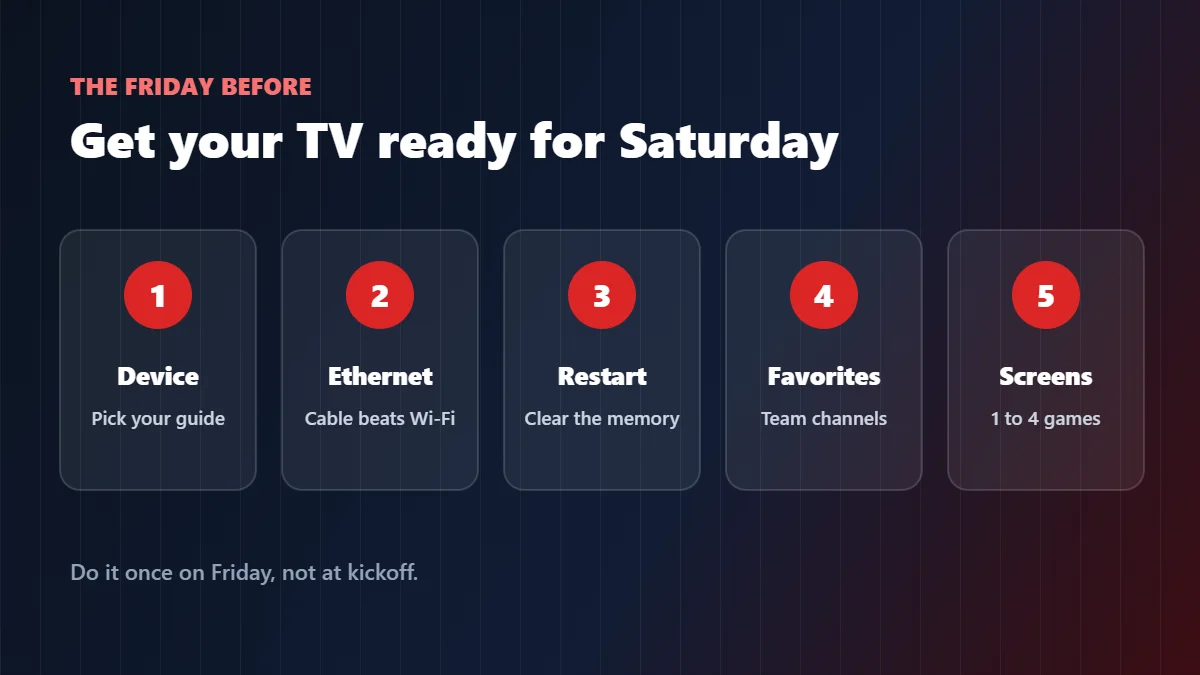
Then, the Friday before a big Saturday: plug the TV device into Ethernet if you can, restart it, add your team’s usual channels to favorites, and pause big downloads at home during the game. If anything stutters, our buffering fix finds the cause in two minutes.

Watching several college football games at once
College football Saturdays are made for multiple screens: your team on the big TV, a rival’s game on the bedroom TV, a third one on a laptop. With streaming, every screen counts as one connection, so plan for it:
- One screen is fine if only one game is on at a time in your house.
- Two screens cover the most common Saturday: your game plus one more.
- Three or four screens are for big households or true college football fans who follow several conferences.
Whatever the best way to watch college football is for your house, remember the internet side too: plan on roughly 25 Mbps per screen in 4K and 10–15 Mbps per screen in Full HD.
Marinios IPTV for college football fans
If you want to stream college football without juggling apps, here is what we offer, laid out plainly:
- 55,000 live channels in HD and 4K, including a wide range of sports channels, plus 250,000 movies and series.
- Servers updated every month, with new 4K and 8K channels added regularly, chosen for stability on the busiest days.
- 1 to 4 screens at the same time, from $15 for one month or $5 a month on the 12-month plan for one screen.
- A free trial of up to 24 hours on WhatsApp, 24/7 support on game days, and a 30-day money-back guarantee.
- Pay by card, Apple Pay, Google Pay or Revolut Pay at checkout, or ask us on WhatsApp for PayPal or Binance.
Our advice: take the trial on a Saturday, open the channels your team plays on, and watch a full game. If you are not sure a specific channel is in the list, ask us before you pay. See the plans and prices.
Quick questions
How can I watch college football without cable?
Use a free antenna for games on the broadcast networks, plus a live TV streaming app or an IPTV service for the sports and conference cable channels.
How do I stream college football on my TV?
Install a streaming app or IPTV player on your smart TV or streaming stick, sign in, and open the channel carrying the game. Use Ethernet for the smoothest picture.
What is the best way to watch college football?
The setup that covers all your team’s channels in one place and stays smooth on a busy Saturday. For many fans, that is an antenna plus an IPTV service.
Can I watch college football for free?
Partly. An antenna picks up games on free broadcast networks in your area. Games on cable sports channels need a paid option.
Can I watch two college football games at the same time?
Yes, with a plan that includes two or more screens, one for each TV or device.
What internet speed do I need to stream college football?
About 10–15 Mbps per screen in Full HD and 25 Mbps or more per screen in 4K.
All trademarks belong to their respective owners. Marinios IPTV is an independent IPTV provider and is not affiliated with or endorsed by any college, university, athletic conference, league, team or broadcaster.