
An IPTV subscription replaces a cable package with one app: live TV, sports, movies and series, streamed over your home internet to the screens you already own. The trouble is that every offer looks the same online. This guide explains what a good IPTV subscription includes, what it should cost in 2026, how many screens you need, and how to buy one safely so you never pay for a service that freezes on game night.
Quick answer: An IPTV subscription gives you live TV, sports, movies and series over your home internet, in an app on the devices you already own. At Marinios IPTV, one screen costs $15 for one month or $60 for 12 months ($5 a month), with plans for up to 4 screens and a free 24-hour trial.
Key takeaways
- A premium IPTV subscription should include live channels, movies and series, a TV guide and real support, on every plan.
- A fair price for one screen is about $5 to $15 a month, depending on plan length.
- Always test with a free trial at prime time before paying for a long plan.
- Your subscription gives you the channels; some TV player apps need a separate one-time activation after their free week.
In this guide
- What is an IPTV subscription?
- What a premium IPTV subscription should include
- IPTV subscription prices in 2026
- How many screens does your IPTV subscription need?
- IPTV subscription USA: what American viewers should check
- How to buy an IPTV subscription safely
- How to subscribe to IPTV in 3 minutes
- How do I pay for an IPTV subscription?
- After you subscribe: setup and app activation
- Red flags before you pay for any IPTV subscription
- Monthly or yearly IPTV subscription?
- Quick questions
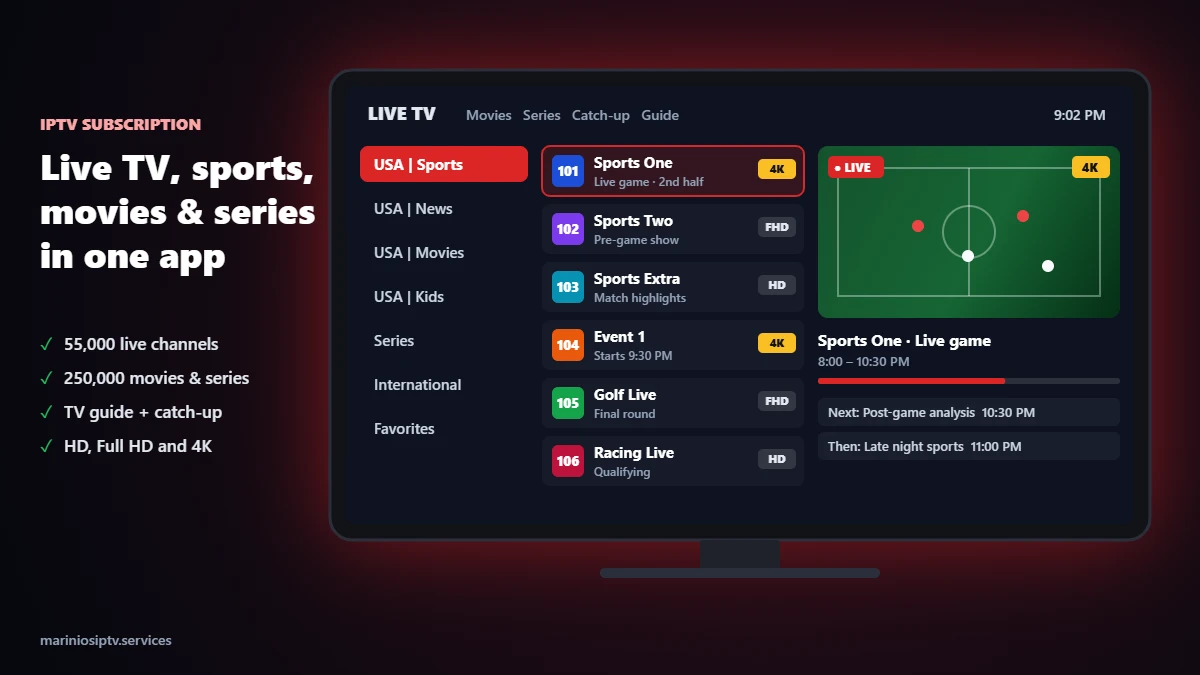
What is an IPTV subscription?
An IPTV subscription is paid access to TV channels and on-demand content delivered over the internet instead of a cable or satellite line. When you subscribe, your provider sends you login details: usually a username, a password and a server address (often called a Player API or Xtream login), or an M3U playlist link. You enter those details in a player app on your TV, streaming stick or phone, and the channels appear, organized by country and category, with a program guide.
Three pieces work together:
- The IPTV subscription gives you the channels, the movies and series, and the TV guide.
- The player app (IPTV Smarters Pro, IBO Player Pro and others) shows them on your screen.
- Your internet connection carries the stream. About 10 Mbps per screen is enough for HD, 25 Mbps for 4K.
New to the login details? Our M3U playlist guide explains every part of the link, line by line.
What a premium IPTV subscription should include
“Premium” is on every sales page, so judge it by what is actually in the plan. A premium IPTV subscription in 2026 should give you all of this, with no extra fees:
- Live channels by country and category: news, sports, entertainment, kids and international, in HD, Full HD and 4K.
- Movies and series on demand that you start, pause and resume when you want.
- A working TV guide (EPG) in your time zone, and catch-up on supported channels. See our EPG guide if the guide is empty.
- Support that answers in minutes, before and after you pay.
- The same features on every plan. Only the length and the number of screens should change the price.
With Marinios IPTV, every IPTV subscription includes 55,000 live channels, 250,000 movies and series, the TV guide, catch-up and 24/7 support on WhatsApp.
IPTV subscription prices in 2026
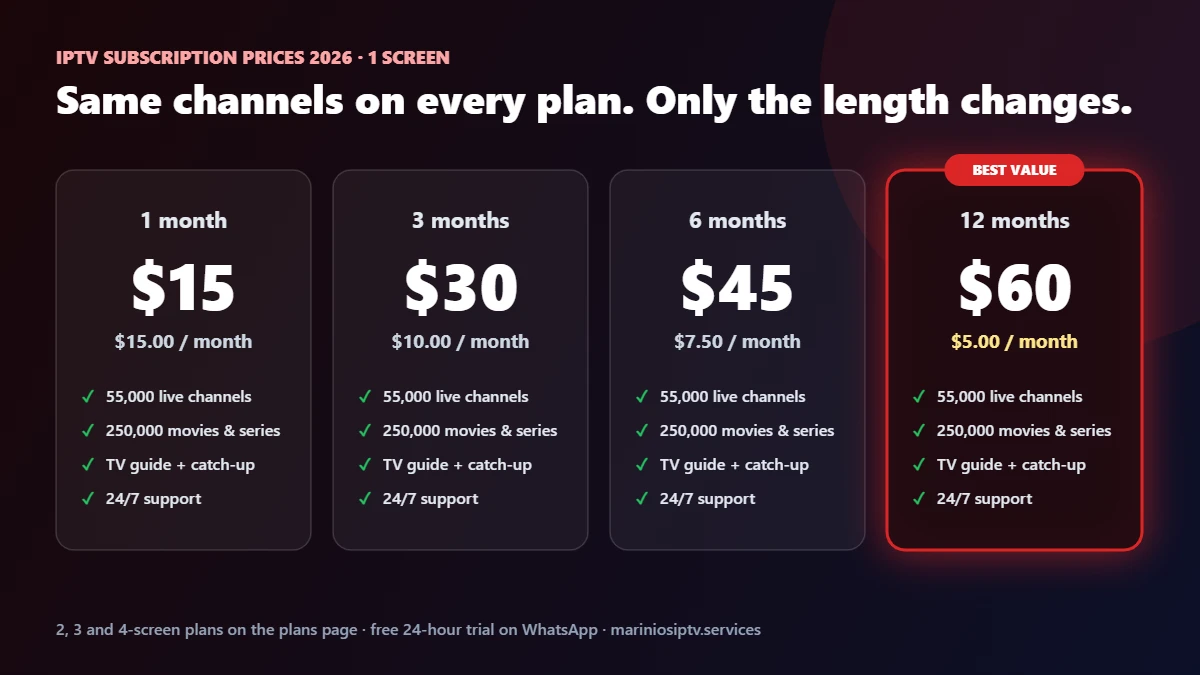
Compare the price per month, not the headline price. Here is what an IPTV subscription costs with Marinios IPTV, for every plan length and number of screens:
| Plan length | 1 screen | 2 screens | 3 screens | 4 screens |
|---|---|---|---|---|
| 1 month | $15 | $26 | $32 | $40 |
| 3 months | $30 | $55 | $65 | $80 |
| 6 months | $45 | $80 | $100 | $120 |
| 12 months | $60 | $100 | $135 | $170 |
| Per screen, per month (12 months) | $5.00 | $4.17 | $3.75 | $3.54 |
A yearly IPTV subscription costs a third of the monthly price per month. That is the real saving, but only once the service has passed your own test. Our cheap IPTV guide shows the break-even point between monthly and yearly plans.
How many screens does your IPTV subscription need?
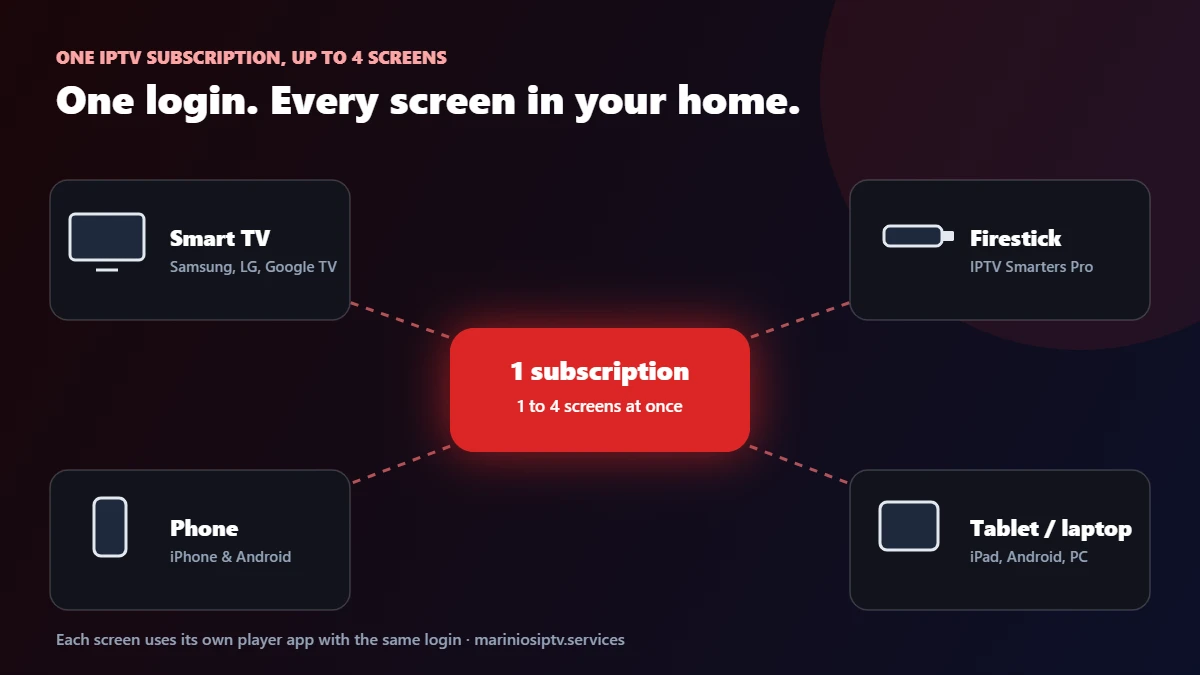
Count the screens that are on at the same time on a busy evening, not every device in the house. You can install the app on as many devices as you like, but each plan allows a set number of streams at once:
- 1 screen: one person, or one main TV.
- 2 screens: a couple with two TVs, or a TV plus a phone during games.
- 3 or 4 screens: families where the kids watch while the adults are on the main TV.
Going over the limit usually stops one of the streams, so pick the plan that matches your busiest hour.
IPTV subscription USA: what American viewers should check
If you are in the United States, look past the channel count and check the things that matter in US homes:
- Your local news and national sports networks, by name, during the trial.
- The TV guide in your time zone (ET, CT, MT or PT). A guide that is three hours off is a setting problem, not a reason to cancel.
- Your devices: Firestick, Google TV, Samsung and LG TVs, iPhone and Android.
- Prime-time stability: a live game at 9 p.m. your local time is the real test.
Our best IPTV USA checklist turns these into a 100-point score you can use on any IPTV subscription USA viewers are considering.
How to buy an IPTV subscription safely
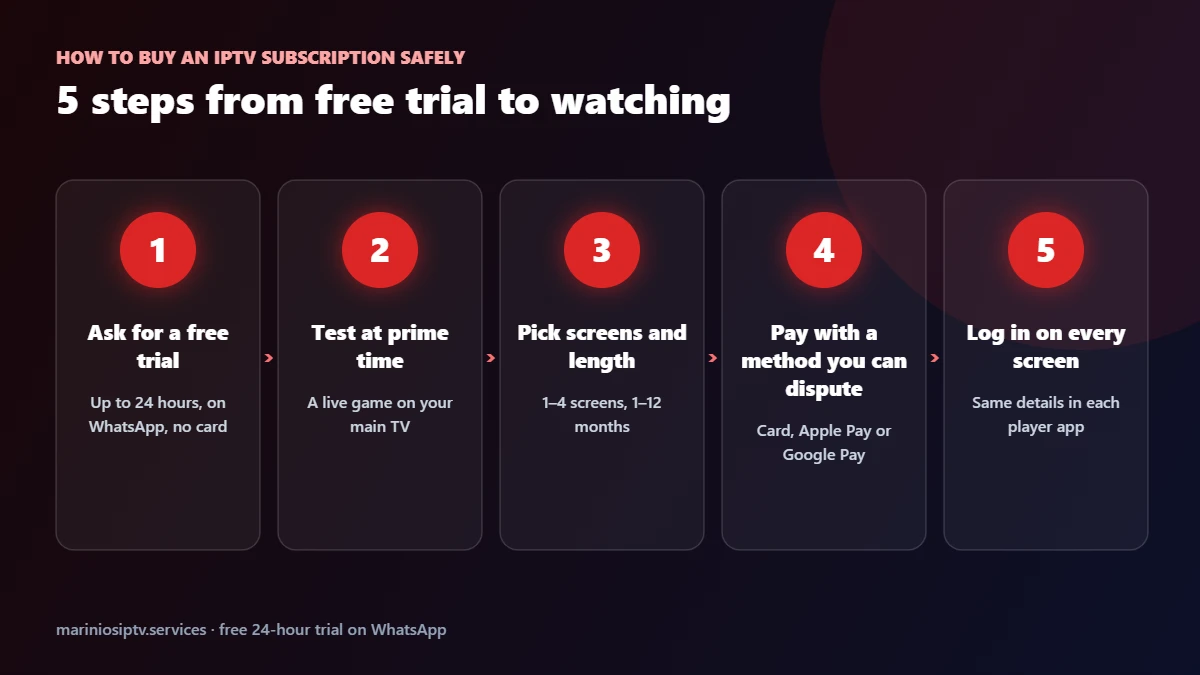
- Ask for a free trial. A serious provider lets you test first. Ours lasts up to 24 hours and is sent on WhatsApp, with no card needed. Our free trial guide shows how to use those hours well.
- Test at prime time. Watch a live game on your main TV in the evening and count freezes. Run our 20-minute speed test at the same time.
- Pick screens and length. Start short if you are unsure, then move to 6 or 12 months once you are happy.
- Pay with a method you can dispute, such as a card, Apple Pay or Google Pay, and keep the confirmation. Read the refund policy before you pay.
- Log in on every screen with the same details in each player app.
How to subscribe to IPTV in 3 minutes
Ready to subscribe to IPTV after your test? With Marinios IPTV it takes about three minutes:
- Pick your plan on the plans page: 1 to 4 screens, 1 to 12 months.
- Pay at checkout by card, Apple Pay or Google Pay.
- Receive your login by email or WhatsApp, usually within minutes, and enter it in your player app.
Prefer to subscribe on WhatsApp? Message us with the plan you want and we send the payment link and your details in the same chat. Monthly subscribers can renew every month; there is no long contract.
How do I pay for an IPTV subscription?
With a reputable provider you pay online at checkout with a card or a mobile wallet, and some also accept PayPal or crypto on request. It is one of the first questions customers ask us on WhatsApp, so here is exactly how it works with Marinios IPTV:
| Payment method | Where | Good for |
|---|---|---|
| Credit or debit card | Secure checkout on our site | Most people in the US |
| Apple Pay / Google Pay | Secure checkout on our site | Paying in seconds from your phone |
| Revolut Pay | Secure checkout on our site | Revolut users |
| PayPal | Ask our team on WhatsApp | People who prefer not to enter card details |
| Binance (crypto) | Ask our team on WhatsApp | Customers who already use crypto |
Whatever you choose, keep the payment confirmation. And whichever provider you buy from, be careful with sellers who accept only gift cards or untraceable transfers: a real business offers at least one payment method with buyer protection.
After you subscribe: setup and app activation
Your login details usually arrive within minutes. Setup takes about ten minutes per device:
- Firestick: follow our IPTV Smarters Pro Firestick guide.
- Samsung TV: see how to install IPTV on a Samsung Smart TV.
- Which app? Compare them in our IPTV player guide.
Some TV players, such as IBO Player Pro, are free for 7 days and then ask for a one-time activation. That activation unlocks the app; it is separate from your IPTV subscription, which gives you the channels. You can buy it on the app’s official website, or send us a photo of the activation screen on WhatsApp and we activate IBO Player Pro for you for €9.99, in the same chat as your plan.
If the app says “authorization failed” on the first try, it is almost always a typo: our 5-minute fix covers every cause.
Red flags before you pay for any IPTV subscription
- “Lifetime” access for a single payment. No provider can honestly promise that.
- No trial and no refund policy. You carry all the risk.
- Support that never answers before the sale. It will not answer after it either.
- Channel numbers that change on every page of the same website.
- Payment only by methods you cannot dispute.
For general advice on how much internet speed streaming needs at home, the FCC’s broadband speed guide is a useful reference.
Monthly or yearly IPTV subscription?
Choose a monthly IPTV subscription for a single season or tournament, or while you are still deciding. Choose a 6- or 12-month plan once the trial went well and you watch every week: from the fourth month, the 6-month plan is already cheaper than paying monthly, and the 12-month plan costs $5 a month on one screen.
Ready to test? Start your free 24-hour trial on WhatsApp, or compare all IPTV subscription plans.
Not sure who to buy from? Our IPTV service providers guide explains providers, resellers and suppliers, with 7 questions to ask. On an Amazon stick? Read best IPTV for Firestick.
On Apple TV, iPhone or iPad? Our IPTV on Apple TV guide shows which player apps work with your subscription login.
Planning to watch in IPTV Smarters Pro? See our IPTV Smarters Pro subscription guide for the login type you need.
Quick questions
How much is an IPTV subscription?
For one screen, about $5 to $15 a month depending on plan length. With Marinios IPTV it is $15 for one month, $30 for three, $45 for six and $60 for twelve months.
What do I need for an IPTV subscription?
Stable internet (about 10 Mbps per HD screen, 25 Mbps for 4K), a smart TV, streaming stick, phone or tablet, and a player app.
Can I use one IPTV subscription on several devices?
Yes. Install the app on as many devices as you like; the plan sets how many can watch at the same time, from 1 to 4.
Is there a free trial before I subscribe?
Yes. Marinios IPTV gives a free trial of up to 24 hours on WhatsApp so you can test on your own TV and internet.
Does my IPTV subscription include the player app?
No. The subscription gives you the channels. Some players are free; others, like IBO Player Pro, need a one-time activation after their 7-day trial, which we can do for you on WhatsApp.
How do I subscribe to IPTV?
Choose a plan, pay at checkout, and use the login you receive in your player app. You can also subscribe to IPTV directly on WhatsApp.
How fast is activation after I pay?
Login details usually arrive within about 5 minutes by email or WhatsApp.
Before you subscribe, it helps to know what you are paying for: our IPTV service guide explains it from server to screen.
Fire TV and Firestick are trademarks of Amazon.com, Inc. or its affiliates. Samsung and Smart TV are trademarks of Samsung Electronics. LG and webOS are trademarks of LG Electronics. Apple TV, iPhone and App Store are trademarks of Apple Inc. Android TV, Google TV and Google Play are trademarks of Google LLC. IPTV Smarters and IBO Player Pro are trademarks of their respective owners. Marinios IPTV is not affiliated with or endorsed by them.